
Hey there, painting contractors! Ever feel like your bidding process is a bit of a mess? Maybe you’re still using that old notebook and a calculator, or perhaps you’ve tried some software that just didn’t quite fit. It’s a common problem, especially for smaller outfits. But what if there was a way to make your estimates sharper, your proposals look more professional, and your whole operation run a little smoother? That’s where painting estimate software comes in. We’re going to look at how this kind of tool can really help you out.
Key Takeaways
- Using painting estimate software helps you create more accurate bids, which builds client trust and makes you look more professional compared to competitors who still “eyeball” jobs.
- These programs can speed up your estimating process, allowing you to generate professional-looking proposals quickly, sometimes even while you’re still at the client’s location.
- Key features to look for include easy estimate creation, customization options, workflow management for turning estimates into invoices, and reporting tools to track job costs.
- When choosing software, consider your specific business needs, how easy it is to learn and use, and whether the cost makes sense for the features you’ll actually use.
- Some software is made just for painting contractors, while others are broader tools for construction trades or even full field service management platforms.
Streamline Your Bidding Process With Painting Estimate Software
Remember the days of scribbling estimates on notepads or trying to make sense of a spreadsheet filled with numbers? For many small painting contractors, that’s still the reality. But there’s a better way. Painting estimate software can really change how you handle bids, making the whole process smoother and more professional. It’s about working smarter, not just harder.
Enhance Professionalism and Client Trust
When you show up to a client’s home or business with a tablet or laptop, ready to present a polished, detailed estimate, it makes a big impression. Instead of a rough guess, you’re showing them you’ve taken the time to be thorough. This professionalism builds trust right from the start. Clients see you as organized and serious about their project.
Here’s how it helps:
- Clear Breakdown: Estimates show exactly what’s included – labor, materials, scope of work. No surprises later.
- Visual Aids: Some software lets you include photos of the property or examples of your past work, giving clients confidence.
- Quick Delivery: You can often email the estimate right after the meeting, keeping the momentum going.
Presenting a well-structured estimate isn’t just about looking good; it’s about clearly communicating the value you bring to the project. It sets expectations and reduces the chances of misunderstandings down the line.
Improve Accuracy Over Manual Estimates
Let’s be honest, manual estimates are prone to errors. It’s easy to miscalculate square footage, forget a material cost, or misjudge labor hours. Software takes the guesswork out of it.
- Precise Measurements: Many programs integrate with digital takeoff tools, allowing you to measure surfaces directly from plans or photos.
- Up-to-Date Pricing: You can input current material costs and labor rates, so your estimates reflect today’s prices.
- Reduced Human Error: The software does the math, minimizing mistakes that can cost you money or damage your reputation.
Stand Out From The Competition
In a crowded market, anything that makes you look more professional and reliable can give you an edge. While some contractors still rely on old methods, adopting technology shows you’re a modern business ready for any job.
- Faster Bidding: Quickly generate estimates, allowing you to respond to leads faster than competitors.
- Consistent Branding: Software often allows for custom branding on your estimates, reinforcing your company’s image.
- Detailed Scope: A comprehensive estimate shows you’ve considered all aspects of the job, unlike a quick verbal quote.
Key Features Of Painting Estimate Software
Estimate Creation and Customization
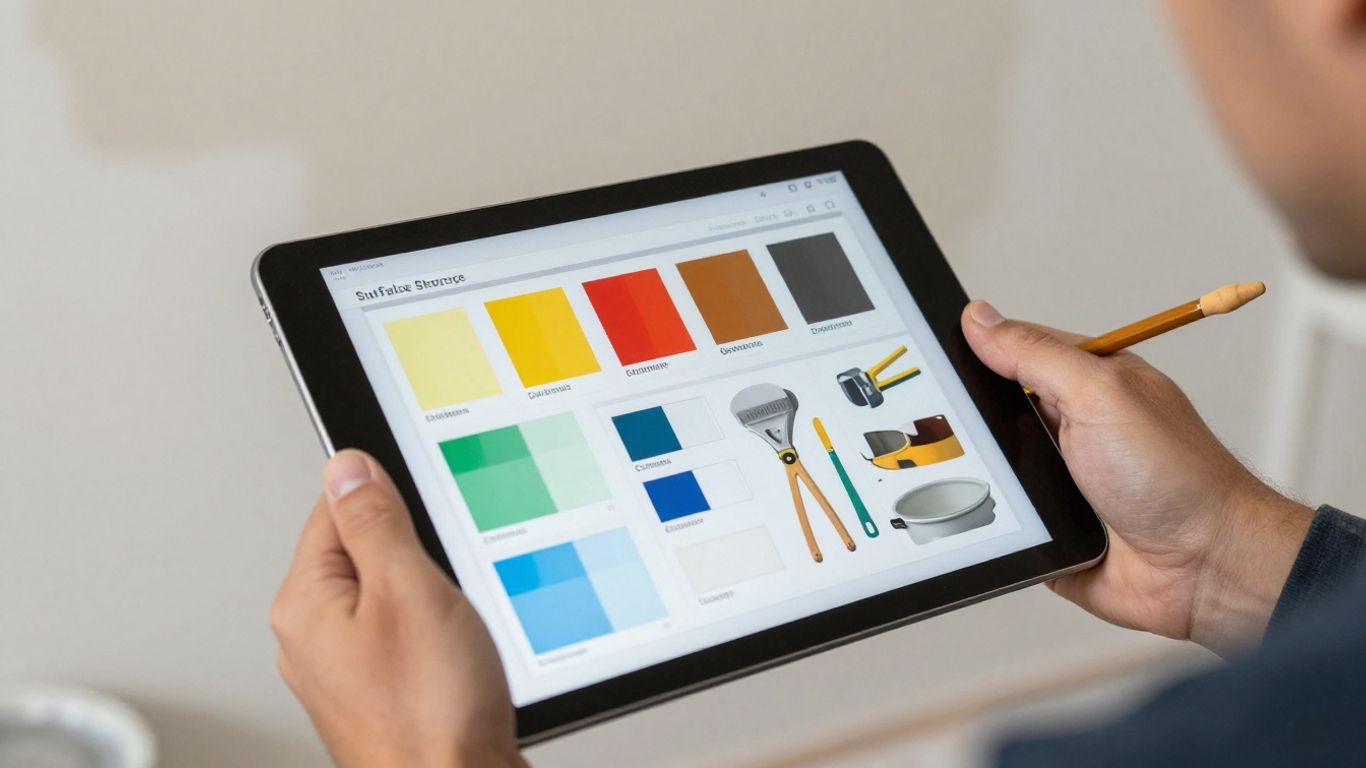
Forget scribbled notes and guesswork. Modern painting estimate software lets you build detailed bids quickly. You can often start with pre-made templates that cover common job types, then tweak them to fit the specifics of your project. This means you can input things like the square footage of walls, number of coats, type of paint, and even specific prep work needed. The goal is to make sure every detail is accounted for, so you don’t miss anything that could cost you money later. You can usually add custom line items too, for things like special finishes or difficult access.
Workflow Management and Invoicing
Once you’ve got a solid estimate, the software doesn’t just stop there. It can help you manage the whole process. Think of it as a digital assistant that can take that approved estimate and turn it into a work order for your crew or even an invoice for the client. This cuts down on a lot of back-and-forth and makes sure the billing matches exactly what was agreed upon. Some programs even let you track payments and send out reminders, which is a big help for keeping cash flow steady.
Reporting and Analytics for Profitability
This is where the real magic happens for growing your business. The software keeps track of all your estimates, jobs, and costs. It can then generate reports that show you how profitable each job actually was. You can see where your money is going, how long jobs are taking compared to your estimates, and which types of projects bring in the most money. This kind of data is gold for making smarter decisions about pricing and which jobs to pursue in the future.
Here’s a quick look at what you can track:
- Job Profitability: See which jobs made you the most (or least) money.
- Material Costs: Understand how much you’re spending on paint, primer, and supplies.
- Labor Hours: Track how long your crews are spending on different tasks.
- Sales Performance: Monitor how many bids you’re winning and your overall sales figures.
Keeping a close eye on these numbers helps you avoid underbidding in the future and identify areas where you might be overspending. It’s about working smarter, not just harder, to build a more successful painting business.
Choosing The Right Painting Estimate Software For Your Business
So, you’re looking to get some software to help with your painting estimates. That’s a smart move. But with so many options out there, how do you pick the one that actually fits your business? It’s not just about finding the cheapest or the one with the most flashy features. You need something that makes sense for how you work.
Consider Your Specific Business Needs
Think about the kind of jobs you do most often. Are you mostly doing small residential repaints, or are you tackling big commercial projects? This makes a difference. Software designed for large commercial jobs might have features for things like AIA billing or managing multiple crews, which you might not need if you’re a solo painter or have a small team. On the flip side, if you do have those needs, you’ll want to make sure the software can handle them. Don’t pay for a bunch of features you’ll never use, but also don’t get stuck with something too basic for your actual work.
Here’s a quick way to think about it:
- Residential Focus: Look for ease of use, quick estimate generation, and maybe customer portal options.
- Commercial Focus: You’ll likely need more robust features for complex bids, material tracking, and managing larger projects.
- Mixed Work: A flexible system that can adapt to different job types will be your best bet.
Evaluate Ease of Use and Learning Curve
Let’s be honest, nobody wants to spend weeks learning a complicated new system. If the software is too difficult to figure out, you and your team probably won’t use it, and then what’s the point? Look for software with a clean, intuitive interface. Many programs offer free trials, which is a great way to test drive the software before you commit. See if you can create an estimate, add materials, and generate a proposal without pulling your hair out. If it feels clunky or confusing during the trial, it’s probably going to be even worse once it’s part of your daily routine.
Weigh Program Cost Against Essential Features
Cost is always a factor, especially for small businesses. You’ll see a wide range of prices, from free or very low-cost options to more expensive, all-in-one solutions. It’s tempting to go for the cheapest one, but remember that sometimes you get what you pay for. A super cheap program might lack important features like good reporting or integration with your accounting software. On the other hand, you don’t need to break the bank on a super-fancy system if it has features you’ll never touch. Try to find that sweet spot: a program that has the must-have features for your business at a price that makes sense for your budget. Think about how much time and how many mistakes the software could save you – that’s often worth more than the monthly fee.
Popular Painting Estimate Software Solutions
Industry-Specific Tools For Painting Contractors
When you’re running a painting business, having software made just for you can make a big difference. These tools are built with painters in mind, so they often have features that handle the specific tasks you do every day. Think about software like PaintScout. It’s designed to help you create estimates quickly, manage your jobs, and even take payments. It aims to make your sales process smoother and more effective. Another option is Paint Estimator Pro, which is a mobile app that helps you create estimates and manage clients right from your phone or tablet. It’s great for getting accurate bids out fast, even when you’re on the go.
- PaintScout: Focuses on a consistent and efficient sales process with customizable quotes.
- Paint Estimator Pro: A mobile-first solution for quick estimates and client management in the field.
General Estimating Software For Construction Trades
Sometimes, you might look at software that’s not just for painters but for all sorts of construction work. Tools like PlanSwift fall into this category. It’s really good at digital takeoffs, meaning you can measure areas directly from plans or even photos to figure out exactly how much material you’ll need. It can also help calculate costs for both materials and labor. While it’s not exclusively for painting, its measurement and calculation features can be very useful. Another example is The Estimating Edge, which offers solutions for commercial estimating that can be adapted for painting projects.
- PlanSwift: Offers digital takeoff tools for precise measurements and material calculations.
- The Estimating Edge: A broader estimating solution that can be tailored for painting bids.
Field Service Management Platforms
These are the all-in-one packages. Field service management (FSM) platforms are designed to handle almost every part of your business, not just estimates. They often include scheduling, dispatching, invoicing, customer management, and yes, estimating tools too. If you’re looking to streamline your entire operation, from the first call to the final payment, an FSM platform might be the way to go. These systems aim to connect all the different pieces of your business into one manageable system. They are best if you want a single system to run your whole painting company.
Choosing the right software depends on what you need most. If you want to get better at estimating and measuring, specialized tools are great. But if you’re looking to manage your whole business more smoothly, an all-in-one field service management platform might be a better fit for your growing painting business.
Leveraging Software For Efficient Operations
Digital Takeoffs and Measurement Tools
Forget the old days of measuring tapes and paper blueprints. Painting estimate software brings digital takeoffs right to your fingertips. You can upload blueprints directly into the program and use your mouse or a stylus to measure areas, perimeters, and surfaces. This isn’t just about speed; it’s about accuracy. Manual measurements are prone to human error, leading to costly mistakes in material orders or labor time. Digital tools eliminate a lot of that guesswork. You can easily calculate square footage, wall areas, and even account for things like trim and ceiling heights with just a few clicks. This precision means you’re ordering the right amount of paint and supplies, and you’re not losing money on jobs because you underestimated the scope.
Material and Labor Cost Calculation
Once you’ve got your measurements, the next big step is figuring out costs. Good software takes the data from your digital takeoff and helps you calculate material needs. You can input your preferred paint brands, types, and coverage rates, and the system will tell you how much you need. It also factors in labor. You can set your hourly rates, estimate how long different tasks will take (like prep, priming, and final coats), and the software crunches the numbers. This makes it way easier to create bids that are both competitive and profitable. No more pulling out a calculator and hoping for the best.
Here’s a quick look at how it breaks down:
- Material Costs: Calculates paint, primer, brushes, rollers, tape, drop cloths, etc.
- Labor Costs: Estimates time for prep, application, cleanup, and travel.
- Overhead: Allows you to factor in general business expenses.
- Profit Margin: Helps you set a desired profit percentage.
Generating Professional Proposals
After all that work, you need to present your estimate to the client. Software makes this part a breeze. You can use built-in templates to create professional-looking proposals that include all the details: scope of work, materials, labor breakdown, timeline, and payment terms. Many programs let you customize these templates with your company logo and branding. You can often generate these proposals right on-site and email them to the client before you even leave their driveway. This speed and professionalism can really make you stand out from contractors still using handwritten bids.
Presenting a clear, detailed, and professional estimate builds confidence with your clients. It shows you’ve thought through the project and are serious about the work. This can be the difference between winning a bid and losing it to someone who seems less organized.
Integrating Painting Estimate Software With Other Business Tools
So, you’ve got your painting estimate software dialed in. That’s a big step! But don’t stop there. Think about how this powerful tool can play nicely with your other business systems. Connecting your estimating software to other programs can really make your whole operation run smoother, saving you time and headaches.
Connecting With Accounting Solutions
This is a big one. Your estimates are just the start of the financial picture. Linking your estimating software to your accounting program, like QuickBooks or FreshBooks, means less manual data entry. When an estimate turns into a job, the details can flow directly into your accounting system. This helps with:
- Accurate Job Costing: See exactly where your money is going for each project – materials, labor, everything.
- Simplified Invoicing: Turn approved estimates into invoices with just a few clicks.
- Better Financial Tracking: Keep a clear view of your income, expenses, and overall business health.
This connection prevents errors and gives you a real-time look at your company’s finances.
Enhancing Functionality With Add-On Programs
Sometimes, your estimating software might not do everything you need. That’s where add-on programs come in. Think about tools that help with:
- Time Tracking: Software that lets your crew clock in and out of jobs via their phones can feed hours directly into your payroll and job costing.
- Inventory Management: Keep track of paint, brushes, and other supplies, so you always know what you have on hand and what needs ordering.
- Scheduling and Dispatch: Coordinate your crews and jobs more effectively, ensuring no one is double-booked or sent to the wrong location.
These specialized tools can add serious power to your estimating software’s foundation.
Utilizing CRM and Marketing Features
Customer Relationship Management (CRM) is all about managing your interactions with current and potential clients. Many estimating software packages, or add-ons, include basic CRM features. This means you can:
- Store client contact information and job history.
- Track leads and follow up on potential projects.
- Send out marketing materials or follow-up emails after a job is complete.
By keeping your client data and sales pipeline organized alongside your estimates, you build stronger customer relationships and find more work. It turns your estimating tool into a central hub for your sales and client management efforts.
Integrating your painting estimate software isn’t just about making estimates. It’s about building a connected system that supports your entire business, from the first quote to the final payment and beyond. It’s about working smarter, not just harder.
Wrapping It Up
So, there you have it. Using the right software can really make a difference for small painting contractors. It’s not just about looking more professional, though that’s a nice bonus. It’s about saving time, cutting down on mistakes, and ultimately, making more money. Whether you’re a solo painter or have a small crew, there’s a tool out there that can help. Take some time to look at what’s available, maybe try out a free trial, and see how it can help your business run smoother. You might be surprised at how much easier things can get.
As the painting industry becomes more competitive, relying on manual estimates can hold your business back from reaching its full potential. The right software doesn’t just improve accuracy—it transforms how you present, manage, and grow your operations. If you’re ready to move beyond spreadsheets and handwritten quotes, Fieldbin offers a smarter way to streamline your estimating, job management, and overall workflow in one platform. Start simplifying your processes, delivering more professional proposals, and gaining better control over your profitability—try Fieldbin today and see the difference it can make for your business.
Frequently Asked Questions
What exactly is painting estimate software?
Painting estimate software is a computer program designed to help painting contractors figure out how much to charge for a job. It helps you measure the areas to be painted, calculate the amount of paint and other supplies needed, and figure out the labor costs. This makes creating price quotes much faster and more accurate than doing it all by hand.
How does this software make my estimates more professional?
When you use this kind of software, your price quotes look really polished and well-organized. Instead of a scribbled note, you give clients a clear, detailed document. This shows you’re serious and organized, which makes customers trust you more and feel confident about hiring you.
Can painting estimate software help me if I’m a small business owner?
Absolutely! Even if you’re a one-person operation or have a small crew, this software can save you a ton of time. It helps you create accurate bids quickly, so you can spend less time on paperwork and more time painting or finding new customers. It helps you look just as professional as bigger companies.
What are the main things this software can do?
Most of these programs let you create estimates easily, often using templates. They help you manage your jobs, track your progress, and some can even create invoices for you. You can also usually see reports that show you how much money you’re making on each job, which is super helpful for planning.
Is it hard to learn how to use painting estimate software?
Many programs are designed to be user-friendly, especially for people who aren’t tech experts. They often have simple steps for measuring and calculating costs. While there might be a small learning curve, most offer tutorials or support to help you get the hang of it quickly.
Should I get software just for estimating, or something that does more?
That depends on your business! If your main goal is just to get better at creating price quotes, an estimating-focused tool is great. But if you want help with scheduling, sending invoices, and managing your whole business in one place, a more all-in-one ‘field service management’ platform might be a better fit.