

Running a small service company means juggling a lot of moving parts. You’ve got jobs happening all over the place, different teams involved, and deadlines to meet. Keeping track of every detail can feel like a circus act. That’s where job history tracking software for service companies comes into play. It’s designed to bring order to the chaos, making sure you know exactly where each job stands, who’s doing what, and how much is being spent. This isn’t just about keeping records; it’s about making your business run smoother and smarter.
Key Takeaways
- Job tracking software helps service companies manage multiple jobs and locations by centralizing information and providing real-time updates.
- Key benefits include better communication, standardized processes, improved remote work visibility, and more accurate budgeting and scheduling.
- When choosing software, consider your company’s size, specific needs, and how easily your team can learn and use it.
- Effective use of job history tracking software can streamline invoicing, simplify file access, and improve overall team accountability.
- Analyzing the data generated by this software provides insights into performance, team efficiency, and profitability, guiding future business decisions.
Understanding Job History Tracking Software for Service Companies
What is Job Tracking Software?
If you’re running a small service business, it’s pretty easy to get overwhelmed by everything you need to keep track of. Job tracking software is basically a tool that helps you monitor, organize, and record details for every job, all in one place. This software makes it simple to know where projects stand, what still needs to be done, and who’s doing what. Instead of juggling sticky notes, text threads, and old spreadsheets, you can use one central spot to check dates, status, and notes about customers or tasks.
Main things job tracking software keeps tabs on:
- Job start dates and deadlines
- Assigned employees or contractors
- Progress updates and completion percentages
- Notes, attachments, or instructions
- Billing and invoicing info tied to each job
Having a clear job history means there’s less back-and-forth, fewer surprises, and more time focusing on the work.
Why Your Service Business Needs Job Tracking Software
Trying to keep multiple jobs running smoothly, especially with a small team or lots of moving parts, is just tough. Relying on memory, scattered emails, or group texts often leads to mix-ups, repeat work, or missed deadlines. Job tracking helps your business stay organized by:
- Giving a real-time view of every open job
- Allowing you to assign, re-assign, or track tasks in seconds
- Reducing confusion when a client calls about the status of their project
- Creating a permanent log for reference next time a similar project comes up
This sort of software is about working smarter, not harder. And for small service companies, time really is money.
Key Benefits of Implementing Job Tracking Software
When you start using job tracking software, you usually notice improvements pretty quickly. Here are a few of the biggest upsides:
- Better Communication: Everyone’s looking at the same info, so team members and clients stay on the same page.
- Accountability: With a job history, it’s easy to see who did what and when.
- Faster billing: Since you’re tracking work as it happens, invoicing gets much simpler.
- Fewer mistakes: With less information lost or miscommunicated, there are fewer project errors and less rework.
| Benefit | Description |
|---|---|
| Job Visibility | See project progress, updates, and blockers fast |
| Collaboration | Share notes, files, and updates from any device |
| Cost Tracking | Keep an eye on budgets and prevent overspending |
| Audit Trail | Always have a record of what happened and when |
For small service companies, taking the leap to use job tracking software doesn’t just help you keep track—it can actually make your business run smoother and make your week feel way less stressful.
Essential Features of Job History Tracking Software
When you’re running a small service company, keeping tabs on every job can feel like juggling chainsaws. That’s where good job history tracking software comes in. It’s not just about knowing what’s happening; it’s about having the right tools to make things run smoother. Let’s look at what you should be looking for.
Real-Time Job Progress Visualization
Imagine being able to see exactly where each job stands without having to make a dozen phone calls. This feature gives you a clear picture of project milestones and helps your team stay on track. You can spot potential delays early, which is a lifesaver for keeping clients happy and projects on schedule. It’s like having a live map of all your ongoing work.
Streamlined Task Assignment and Management
Assigning tasks shouldn’t be a headache. Good software makes it simple to delegate work, set deadlines, and track completion. Automated reminders and alerts mean less chance of things slipping through the cracks. This keeps everyone focused on what needs to get done, reducing confusion and boosting productivity. You can easily see who’s working on what and when it’s due.
Integrated Communication and Collaboration Tools
Miscommunication is a major project killer. Software that includes built-in communication tools lets your team share notes, photos, updates, and job-specific information all in one place. This means everyone has access to the same, up-to-date details, whether they’re in the office or out in the field. It helps keep everyone on the same page, reducing errors and rework. Some platforms even offer a central place to store all job-related files, making access simple for anyone who needs it.
Budget and Cost Control Capabilities
Keeping projects within budget is always a challenge. Job tracking software that includes budget and cost control features lets you monitor expenses in real-time. You can compare actual spending against your budget, helping to prevent overspending and improve profitability. This kind of financial oversight is key to making smart decisions and hitting your financial targets on every project. It’s a big help for understanding where your money is going.
Keeping track of job history isn’t just about looking back; it’s about building a better workflow for the future. By having clear visibility into tasks, communication, and finances, you can make more informed decisions and run your business more efficiently. It’s about having the right information at your fingertips when you need it most.
Choosing the right software can make a big difference. Tools like Monday.com offer customizable workflows that can be adapted to many different service businesses.
Choosing the Right Job History Tracking Software

So, you’ve decided that keeping tabs on your jobs with software is the way to go. That’s a smart move. But with so many options out there, picking the one that actually fits your small service company can feel like a puzzle. It’s not just about finding the cheapest or the one with the most bells and whistles; it’s about finding the right tool for your specific needs. Let’s break down how to make that choice.
Assessing Your Business Size and Needs
First things first, take a good, hard look at your business. How many people are on your team? Are you mostly office-based, or do you have a lot of folks out in the field? What kind of jobs do you do? A plumbing company has different tracking needs than a landscaping business, for example. Think about the biggest headaches you’re trying to solve. Is it missed appointments? Overspending on materials? Difficulty knowing who’s doing what? Pinpointing your main pain points will guide you toward software that offers solutions, not just features.
Here are some questions to ask yourself:
- How many active jobs do we typically handle at once?
- What’s our team size, and how many will need access to the software?
- Do our employees work primarily on-site, remotely, or a mix?
- What are the most common issues we face with job tracking currently?
- What’s our budget for this kind of tool?
Evaluating Software Scalability and Flexibility
Your business isn’t going to stay small forever, right? You want software that can grow with you. Look for systems that allow you to add more users or features as your company expands. Maybe you start with basic job tracking, but later you want to add more advanced scheduling or inventory management. A flexible system won’t tie you down. It should adapt to your changing workflows. Think about whether the software can handle different types of jobs or projects you might take on in the future. A rigid system might work now, but it could become a roadblock down the line.
It’s easy to get caught up in the current moment, but planning for the future is key. Choosing software that can adapt means you won’t have to go through the whole selection process again in a year or two.
Considering Ease of Onboarding and Support
Let’s be real, nobody wants to spend weeks learning a complicated new system, especially when there’s work to be done. How easy is it for your team to get started? Does the software have a clean, intuitive interface? What kind of training materials are available? Look for providers that offer good customer support. If something goes wrong, or if someone on your team gets stuck, you need to know you can get help quickly. A free trial period is also a great way to test the waters and see if the software feels right for your team before committing.
Consider these support aspects:
- Availability of training videos or guides.
- Responsiveness of customer service (phone, email, chat).
- User reviews regarding support quality.
- Onboarding assistance offered by the vendor.
Maximizing Efficiency with Job History Tracking
Running a small service company means juggling a lot of moving parts. You’ve got clients, jobs, employees, and deadlines all demanding attention. It’s easy for things to slip through the cracks, especially when you’re trying to keep tabs on everything manually. That’s where job history tracking software really shines, helping you get more done with less hassle.
Improving Remote Work and Accountability
These days, many service businesses have folks working out in the field or from home. It can be tough to know what everyone’s up to when you’re not in the same room. Job tracking software gives you a clear picture of who’s working on what and where they are. This visibility isn’t about micromanaging; it’s about making sure everyone’s on the same page and that work is getting done efficiently. When your team knows their progress is visible, it naturally boosts accountability. You can see how long tasks are taking, which helps in planning future jobs more accurately. This transparency is a big win for managing a distributed team.
Enhancing Planning and Scheduling Accuracy
Ever feel like you’re just guessing when it comes to scheduling your next job? Without a solid understanding of where your current projects stand, planning ahead becomes a real headache. Job tracking software changes that. It provides real-time updates on job progress, allowing you to see which employees are available and what tasks are coming up next. This means you can schedule work more intelligently, filling gaps and avoiding downtime. Imagine being able to pull up your schedule and see exactly who’s free to take on a new client, or which team members are finishing up a project and ready for the next one. It makes planning less of a chore and more of a strategic advantage. For businesses looking to streamline their HR processes alongside job management, tools like Gusto can be a good fit.
Simplifying Invoicing and File Access
Nobody likes chasing down paperwork or trying to find that one crucial document. Job tracking software often includes features that make invoicing a breeze. Some systems can even generate invoices directly from recorded time and materials, cutting down on manual entry and errors. This not only speeds up your payment cycle but also builds trust with your clients by showing them exactly what they’re paying for. Beyond invoicing, these platforms act as a central hub for all job-related information. You can store notes, photos, client details, and important documents all in one accessible place. This means anyone on your team, from the owner to the field technician, can quickly pull up the information they need, keeping everyone aligned and informed.
Keeping all job-related information in one spot cuts down on confusion and saves a ton of time. It means less searching through emails or old notes and more time spent actually doing the work. This centralization is a game-changer for small teams that need to stay organized.
Here’s a quick look at how job tracking can streamline your workflow:
- Real-time Updates: Know the status of every job instantly.
- Task Assignment: Clearly delegate tasks and track completion.
- Centralized Files: Access all job documents from one place.
- Accurate Time Tracking: Improve billing and future estimates.
- Improved Communication: Reduce misunderstandings and delays.
Leveraging Data for Business Growth
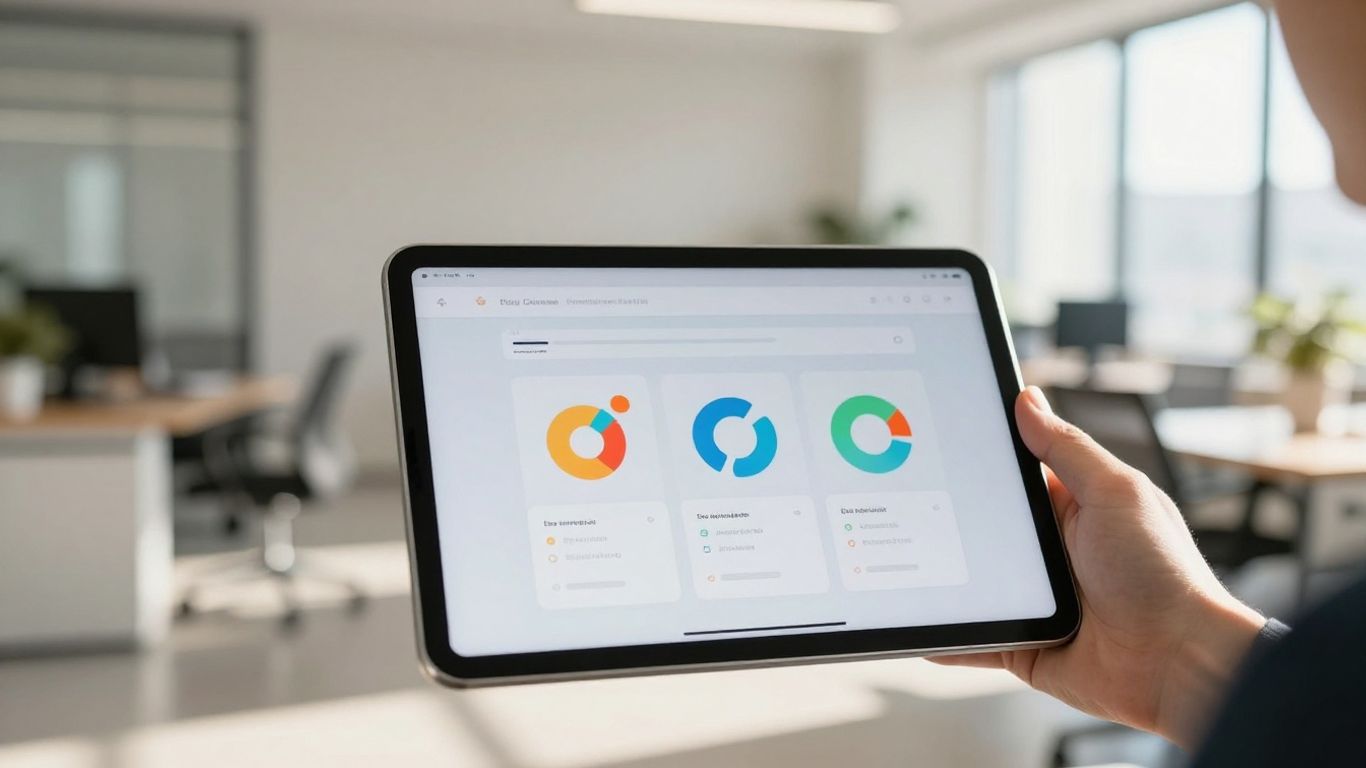
So, you’ve got this job history tracking software humming along, collecting all sorts of information about your projects and your team’s work. That’s great, but what do you actually do with all that data? It’s not just about knowing who did what and when; it’s about using that information to make your small service company better, smarter, and more profitable. Think of it as having a secret map to where the treasure is buried.
Generating Insightful Performance Reports
This software can spit out reports that tell you more than just project completion times. You can see which types of jobs take the longest, which clients are the most demanding (in terms of time, not necessarily complaints!), and where your team is spending most of its energy. These reports are your window into what’s really happening on the ground. For instance, you might notice that a particular service you offer consistently runs over budget or schedule. That’s a signal you can’t ignore.
Here’s a quick look at what you might track:
- Job Type Performance: Average time to complete, cost per job, client satisfaction scores.
- Team Member Productivity: Hours logged per task, on-time completion rates, skill utilization.
- Client Profitability: Revenue generated vs. actual cost of service delivery.
Analyzing Team Efficiency and Profitability
Looking at team efficiency goes beyond just counting hours. It’s about understanding how those hours are being used. Is your team bogged down by administrative tasks that could be automated? Are certain projects requiring more back-and-forth communication than others? By analyzing this, you can identify bottlenecks and areas where training or process improvements are needed. This directly impacts your bottom line. You can see which jobs are truly profitable and which ones are just eating up resources without a good return. It helps you make better decisions about where to focus your business development efforts and how to price services more accurately.
Understanding the true cost and time investment for each service you offer is key. Without this data, you’re essentially guessing at your profit margins, which is a risky way to run a business, especially a small one where every dollar counts.
Optimizing Operations Through Data
Once you have a clear picture of your performance, you can start making targeted changes. Maybe you need to invest in better tools for a specific task that’s always a struggle. Perhaps you can adjust your scheduling to better match team member skills with job requirements. The data can also highlight opportunities for upselling or cross-selling based on past successful job completions. It’s about continuous improvement, using the information you gather to refine your processes, train your staff effectively, and ultimately, grow your business in a sustainable way. This kind of data-driven approach helps you stay competitive and adapt to changing market needs.
Wrapping It Up
So, if you’re running a small service company, keeping tabs on all your jobs can feel like juggling way too many balls at once. It’s easy for things to slip through the cracks, leading to headaches and lost money. That’s where job tracking software really comes in handy. It’s not just another piece of tech to learn; it’s a way to get a clearer picture of what’s happening, make sure everyone’s on the same page, and ultimately, run your business more smoothly. Picking the right tool might take a little effort, but the payoff in saved time and fewer mistakes is definitely worth it.
Bringing it all together, job history tracking isn’t just about staying organised—it’s about building a smarter, more scalable service business that runs with clarity, confidence, and control. When you combine structured tracking with the right platform, you move from reactive firefighting to proactive decision-making, where every job, cost, and team action contributes to growth. That’s where Fieldbin comes in—designed to simplify job tracking, improve team visibility, and turn your day-to-day operations into a streamlined system that actually works for you. If you’re ready to reduce chaos, improve accountability, and make better business decisions, it’s time to see how Fieldbin can support your next stage of growth.
Frequently Asked Questions
What exactly is job tracking software?
Think of it like a super-organized notebook for all your jobs. It helps you keep track of every little detail for each project, like who’s doing what, when it needs to be done, and how much it costs. It’s way better than trying to remember everything or digging through piles of notes.
Why should my small service company use this kind of software?
Because running a small business means juggling a lot! This software makes sure you don’t miss important steps, helps your team work together smoothly, and keeps clients happy by making sure jobs get done right and on time. It stops confusion and mistakes before they happen.
What are the biggest perks of using job tracking software?
You’ll get better communication because everyone sees the same info. It helps you stay on budget, plan your work more effectively, and even makes sending out bills quicker and easier. Plus, it’s great for knowing what your team is up to, especially if they work remotely.
What are the most important features to look for?
You’ll want to see what’s happening with jobs in real-time, like a live map of your projects. Being able to easily give tasks to your team and chat with them inside the software is a big plus. Also, features that help you keep an eye on costs and budgets are super useful.
How do I pick the best software for my business?
First, think about what your business really needs. How many people are on your team? What kind of jobs do you do? Then, look for software that’s easy for your team to learn and use, and that can grow with your business as you get bigger.
Can this software help me make more money?
Absolutely! By helping you manage your time and resources better, avoid costly mistakes, and invoice clients accurately and quickly, it directly helps boost your profits. Plus, the reports can show you where you’re doing great and where you can improve.