

We all know that running an HVAC business can feel like juggling a dozen balls at once. Between scheduling jobs, keeping track of parts, and making sure customers are happy, it’s easy for things to get chaotic, especially when we’re still relying on paper forms and spreadsheets. It’s like trying to find a specific needle in a haystack, every single day. But what if there was a way to simplify all of that? We’re talking about moving from that pile of paperwork to a smart HVAC work order software. It’s not as scary as it sounds, and it can make a huge difference in how our business runs.
Key Takeaways
- Manual processes for HVAC work orders are inefficient and prone to errors, leading to lost time and money.
- Paperwork can get lost, creating risks for disputes, lost revenue, and legal issues.
- HVAC work order software centralizes information, making scheduling, dispatching, and customer management much smoother.
- Key features to look for include real-time scheduling, customer profile management, and inventory tracking.
- Implementing new software requires planning and team training for successful adoption and maximum benefit.
Transitioning From Paperwork To HVAC Work Order Software
We all know the feeling. Stacks of paper orders, scribbled notes, and filing cabinets overflowing with customer history. For years, this was the norm for many HVAC businesses. It’s how we operated, and honestly, it felt like the only way. But let’s be real, it wasn’t exactly efficient, was it? We’ve all spent way too much time hunting for a specific invoice or trying to decipher a technician’s handwriting.
The Inefficiencies of Manual Processes
Think about it: every time a technician fills out a paper work order, that information has to make its way back to the office. Then, someone has to manually enter it into a system, whether that’s a spreadsheet or a ledger. This process is slow, prone to errors, and frankly, a huge drain on our time. We’re talking about lost productivity because someone is stuck doing data entry instead of focusing on more important tasks. It’s like trying to run a race with weights on your ankles. We’ve seen firsthand how this can lead to:
- Delayed billing and payment collection.
- Scheduling mix-ups and double bookings.
- Difficulty tracking job costs and profitability.
- Technicians spending valuable time on administrative tasks instead of service calls.
Risks Associated With Lost Documents
Beyond just being inefficient, relying on paper creates real risks. How many times have we worried about a work order getting lost in the shuffle? A misplaced invoice could mean lost revenue. A missing service record might cause issues with warranty claims or customer disputes. Losing critical documents isn’t just an inconvenience; it can directly impact our bottom line and even our legal standing. Without a clear, organized digital trail, it’s tough to analyze our business performance or identify areas for improvement. It’s like trying to navigate without a map – you might get somewhere, but it’s going to be a bumpy ride.
Embracing Digital Solutions for Streamlined Operations
This is where moving to HVAC work order software really changes the game. It’s not just about getting rid of paper; it’s about creating a smoother, more organized way to run our entire business. Imagine your technicians being able to complete work orders, capture signatures, and even attach photos right from their mobile devices. That information syncs instantly to the office, cutting out the manual data entry and reducing errors significantly. This digital shift means we can manage our operations more effectively, keep all our important records in one accessible place, and ultimately, free up our time to focus on what we do best: serving our customers.
Key Features Of HVAC Work Order Software
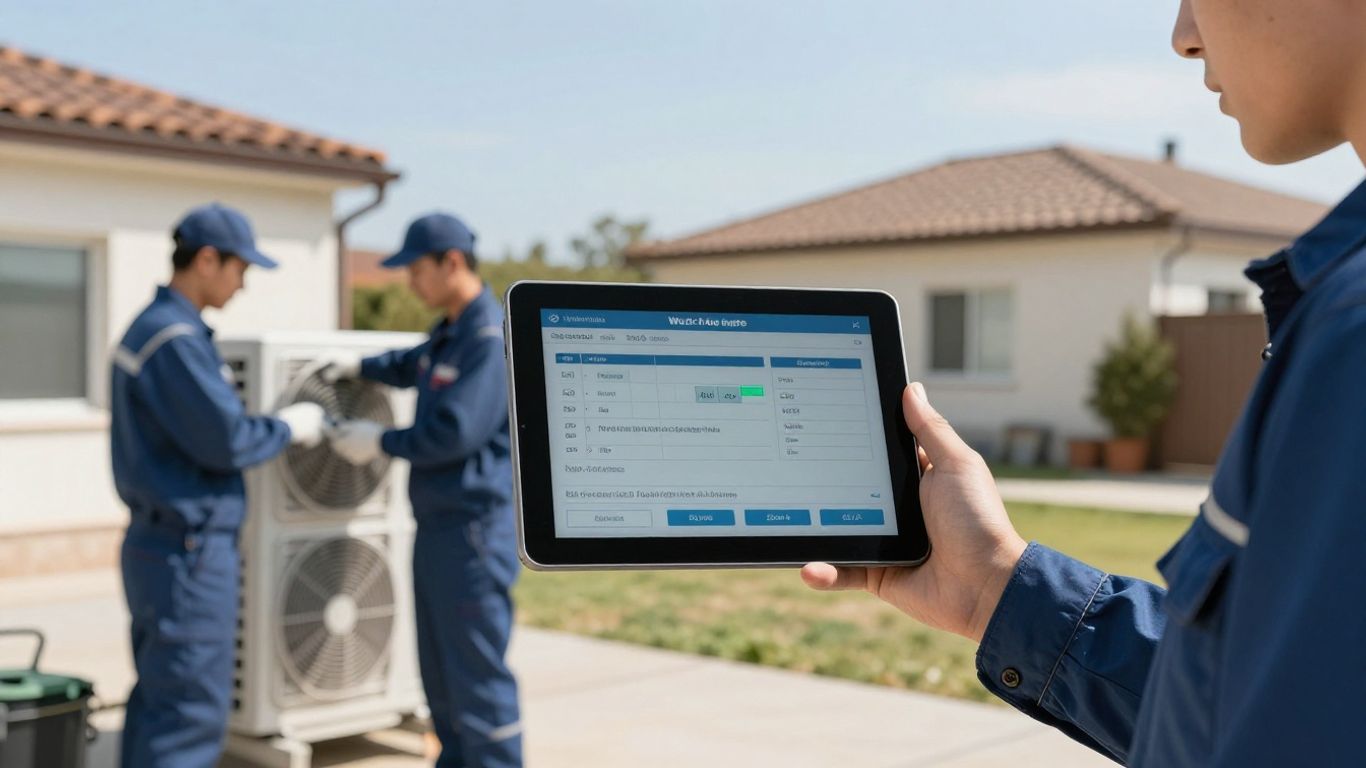
When we talk about moving from paper to digital for our HVAC work orders, it’s really about the tools that make our lives easier and our businesses run smoother. Think of HVAC work order software as your new digital toolbox. It’s packed with features designed to tackle the daily grind.
Scheduling And Dispatching Capabilities
This is probably the biggest game-changer. Gone are the days of juggling phone calls, sticky notes, and whiteboards trying to figure out who’s where and who’s doing what. Good software lets us see our entire team’s schedule at a glance. We can assign jobs to the right technician based on their skills, location, and availability, all with a few clicks. It even helps with smart routing, cutting down on travel time and saving us money on gas. Plus, having GPS tracking means we always know where our techs are, which is a lifesaver for giving customers accurate arrival times. This kind of system is what makes mobile dispatch software so powerful for growing businesses.
Here’s a quick look at what makes scheduling and dispatching so much better:
- Real-time Technician Assignment: Assign jobs instantly as they come in.
- Calendar Integration: See all appointments and team availability in one place.
- Smart Routing: Optimize travel paths to save time and fuel.
- Drag-and-Drop Interface: Easily reschedule appointments when life happens.
Customer Management And Communication Tools
Keeping our customers happy is key, right? This software helps us do just that. We can keep detailed customer profiles, including their service history, equipment details, and any specific notes or preferences. This means when a customer calls, we can pull up all their information instantly, making them feel valued and understood. Automated appointment reminders and follow-up communications also help build trust and encourage repeat business. It’s all about making that personal connection, even when we’re busy.
Good customer management isn’t just about keeping records; it’s about building relationships that last. When customers feel heard and well-cared for, they’re more likely to stick with us and even recommend us to others.
Inventory Management For Parts And Equipment
Running out of a crucial part in the middle of a job is a nightmare. It means a wasted trip, a delayed repair, and an unhappy customer. HVAC software helps us keep a tight grip on our inventory. We can track stock levels in real-time, see what parts are low, and even get alerts when it’s time to reorder. This prevents overstocking, reduces waste, and makes sure our technicians always have what they need to get the job done right the first time. It’s like having a digital inventory manager working 24/7 for us.
Benefits Of Implementing HVAC Work Order Software
Switching from paper to digital work order software for our HVAC business isn’t just about looking modern; it’s about making our lives easier and our company stronger. We’ve all been there, buried under stacks of paper, trying to find that one crucial note or invoice. Embracing this technology brings some serious advantages that we can’t afford to ignore.
Enhanced Field Service Productivity
This is a big one for us. When our technicians have the right information at their fingertips, they can do their jobs so much better. No more guessing about past service history or what parts might be needed. With digital tools, they can access customer details, equipment history, and even previous work orders right from their mobile devices. This means fewer trips back to the shop, faster diagnoses, and more jobs completed in a day. We’ve seen firsthand how having real-time access to information cuts down on wasted time and boosts our team’s efficiency. It’s like giving them a superpower to tackle any job that comes their way.
- Reduced travel time: Smart routing and better scheduling mean less time stuck in traffic.
- Faster job completion: All necessary information is available instantly, reducing guesswork.
- Fewer callbacks: Technicians have the history and details needed for a first-time fix.
The ability to quickly reroute a technician to an urgent service call can have a huge impact on performance. Being able to respond fast to customers in need not only increases their satisfaction but also encourages repeat business, directly improving our company’s bottom line.
Improved Customer Satisfaction And Retention
Our customers expect a certain level of professionalism and efficiency, and paper just doesn’t cut it anymore. When we use software, we can provide a much smoother experience for them. Think about it: instant appointment confirmations, accurate ETAs, professional-looking invoices sent right away, and easy payment options. This level of service builds trust and makes them feel valued. Plus, having a detailed history of their service makes our communication more personal and effective. It’s not just about fixing their AC; it’s about building a relationship. This kind of attention to detail is what keeps customers coming back and recommending us to their friends. Some businesses have even seen customer retention rates jump by up to 42% after making the switch.
Increased Profitability Through Efficiency
Ultimately, all these improvements in productivity and customer satisfaction translate directly to our bottom line. When we’re more efficient, we can take on more jobs without burning out our team. Faster invoicing and payment collection mean better cash flow, which is vital for any business. We also gain better insights into our costs, like parts usage and labor, allowing us to identify areas where we can save money or adjust our pricing. For example, by tracking inventory more effectively, we can avoid overstocking and reduce waste, saving us money on supplies. This kind of data-driven approach helps us make smarter business decisions and grow our profits steadily. Many businesses using field service software report quicker invoice payments, with some seeing payments arrive significantly faster than before.
Choosing The Right HVAC Work Order Software
So, we’ve talked about why moving from paper to digital is a good idea for your HVAC business. Now comes the big question: how do you actually pick the software that’s going to work best for you? It can feel a bit overwhelming with so many options out there, but we can break it down.
Assessing Your Business Needs and Challenges
Before you even start looking at software features, we need to get real about what’s not working right now. What are the biggest headaches you deal with every single day? Is it scheduling mix-ups that leave technicians waiting around? Or maybe it’s the constant hunt for lost paperwork that slows down billing? Pinpointing these pain points is the first step. For instance, I worked with a company that was losing track of parts, leading to repeat trips. Once we identified that inventory management was a major issue, we knew what features to prioritize.
Think about:
- Scheduling and Dispatch: Are you struggling to assign the right tech to the right job efficiently?
- Customer Communication: Do you have trouble keeping customers informed about appointment times or service history?
- Inventory Management: Are you constantly running out of common parts or overstocking expensive ones?
- Billing and Payments: Is your invoicing process slow, leading to delayed payments?
Understanding these challenges will guide you toward software that actually solves your problems, not just adds another layer of complexity.
Evaluating Software Features and Functionality
Once you know what you need, you can start comparing. Don’t get swayed by flashy features you’ll never use. Focus on the core functionalities that address your specific needs. For example, if scheduling is your biggest hurdle, look for software with robust drag-and-drop scheduling and real-time technician tracking. If customer communication is key, check for features like automated appointment reminders and easy access to customer history. Some software, like Workyard, is known for its strong dispatching capabilities, which might be perfect if that’s your main bottleneck.
Here’s a quick look at what to consider:
- Mobile Accessibility: Can your field technicians easily access and update job details, customer information, and complete work orders from their phones or tablets?
- Integration Capabilities: Does the software connect with other tools you already use, like your accounting software (e.g., QuickBooks) or payment processors?
- Reporting and Analytics: Does it provide insights into job profitability, technician performance, and customer trends?
- Ease of Use: Is the interface intuitive? Will your team be able to learn it without extensive training?
The best software is the one that your team will actually use. If it’s too complicated, they’ll revert to old habits, and you won’t see the benefits.
Considering Budget and Team Adoption
Software pricing can vary wildly. Some solutions charge per user, while others have a flat monthly fee. It’s important to get a clear picture of the total cost, including any setup fees or training expenses. Remember, this is an investment in your business’s efficiency and profitability. Think about what you’re currently spending on paper, manual labor, and the cost of errors or missed opportunities. Often, the cost savings from improved efficiency can quickly outweigh the software expense. For instance, Jobber offers plans starting at a reasonable monthly rate, making it accessible for many small to medium-sized businesses.
Also, think about your team. How tech-savvy are they? Will they embrace the change, or will there be resistance? Choosing software that’s user-friendly and providing adequate training is key to successful adoption. If your team feels supported and sees the value, they’ll be much more likely to get on board.
Making The Switch To Digital HVAC Work Orders

So, we’ve talked about why moving away from paper is a good idea and what kind of software features can help. Now, let’s get down to actually making the switch. It might seem like a big hurdle, but with a solid plan, it’s totally doable. We’re going to break down how we can transition our HVAC business from those stacks of paper to a slick digital system.
Planning Your Implementation Strategy
Before we jump in, we need a roadmap. Trying to implement new software without a clear plan is like sending a technician out without a work order – messy and inefficient. We should start by figuring out our priorities. What’s the biggest pain point right now? Is it scheduling, customer communication, or maybe tracking inventory? Identifying these key areas will help us focus our implementation efforts. We also need to set realistic timelines. This isn’t going to happen overnight, and that’s okay. Breaking it down into smaller, manageable steps makes it less overwhelming. Think about a phased rollout, maybe starting with just the scheduling and dispatching features, and then adding customer management later. This allows us to get comfortable with one part before tackling the next.
- Define clear goals: What do we want to achieve with this new software? (e.g., reduce paperwork by 50%, improve first-time fix rates by 10%).
- Identify a project lead: Someone needs to own this transition and keep things moving.
- Map out current workflows: Understand how we do things now so we can see how the software will fit in.
- Choose a pilot group: Start with a small team or a specific department to test the waters before a full rollout.
We need to remember that this is an investment in our business’s future. It’s about working smarter, not just harder, and that takes a bit of upfront effort.
Training Your Team For Success
This is where a lot of transitions can stumble. If our team isn’t comfortable using the new software, it won’t matter how great it is. We need to make sure everyone gets the training they need. This isn’t a one-and-done deal either. We should plan for ongoing support and refresher sessions. Think about different learning styles – some people might prefer hands-on workshops, while others might do better with video tutorials or one-on-one coaching. Making sure our technicians and office staff feel confident using the system is absolutely key to adoption. We want them to see this as a tool that makes their jobs easier, not harder.
- Tailor training to different roles: Technicians will need different training than office staff.
- Provide accessible resources: Create cheat sheets, FAQs, and video guides.
- Encourage peer-to-peer learning: Let experienced users help out their colleagues.
- Gather feedback during training: What’s confusing? What’s working well?
Monitoring Progress And Identifying Opportunities
Once we’re up and running, our job isn’t done. We need to keep an eye on how things are going. Are we hitting those goals we set during the planning phase? Are there any unexpected issues popping up? Regular check-ins with the team are important. We can use the software’s reporting features to track key metrics. This is also a chance to find new ways to use the software that we might not have thought of initially. Maybe we discover a reporting feature that gives us new insights into job profitability, or a communication tool that really boosts customer satisfaction. By staying engaged and looking for opportunities, we can make sure we’re getting the most out of our new digital system and continuously improving our operations.
- Track key performance indicators (KPIs): Measure progress against our initial goals.
- Hold regular team meetings: Discuss what’s working and what’s not.
- Review software reports: Identify trends and areas for improvement.
- Solicit ongoing feedback: Encourage the team to share ideas for optimization.
Wrapping It Up
Making the switch from paper to field service software might seem like a big step, but honestly, it’s one of the best things we can do for our HVAC businesses. We’ve seen how it smooths out scheduling, cuts down on those annoying errors, and even makes our customers happier. It’s not just about getting fancy tech; it’s about working smarter, saving time, and ultimately, making more money. So, if you’re still buried under paperwork, it’s definitely time to explore what software can do for you. We think you’ll be really glad you did.
Frequently Asked Questions
Why should we move from paper work orders to HVAC software?
Honestly, paper just isn’t cutting it anymore. We found that using paper led to lost documents, mistakes in scheduling, and a lot of wasted time trying to find information. It slowed us down and even cost us money. Switching to software means everything is organized, easy to find, and accessible from anywhere, which helps us work way faster and smarter.
What are the main things HVAC software can do for us?
Think of it like having a super-assistant for your business! It helps us schedule appointments and send out our technicians super efficiently. It also keeps all our customer info neat and tidy, so we can give them better service. Plus, it helps us keep track of all our parts and supplies, so we don’t run out or order too much.
Will this software really make our business better?
Absolutely! We’ve seen how much more productive our team is because they’re not wasting time on paperwork or getting lost. Our customers are happier too because we can respond faster and keep them informed. Ultimately, it helps us save money and make more money because we’re running so much smoother.
How do we choose the right software for our HVAC business?
It’s important to first think about what’s tough for us right now. Are we struggling with scheduling? Is keeping track of parts a nightmare? Once we know our biggest problems, we can look for software that solves those specific issues. We also need to think about how much we can spend and if our team will actually use it.
Is it hard to switch to new software?
It can feel a little daunting at first, but it’s totally doable. We found that planning the switch carefully is key. We made sure to train everyone on our team, from the office staff to the technicians in the field. Giving them the support they need makes a huge difference in how quickly everyone gets comfortable with the new system.
What if our technicians are hesitant to use new technology?
We get that! It’s common for folks to be used to the old ways. The best approach is to show them how the software makes *their* jobs easier. Highlight how it cuts down on paperwork, helps them find jobs faster, and makes communication smoother. Offering good training and support, and maybe even a little incentive, can really help everyone embrace the change.