
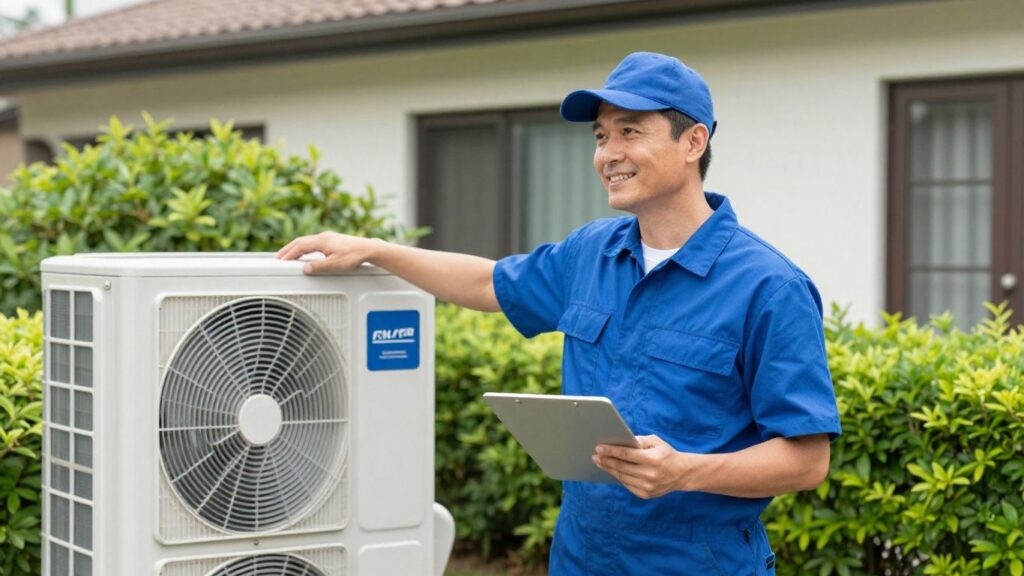
Running an HVAC business can get pretty hectic. You’re juggling appointments, keeping track of customer details, and making sure your technicians are where they need to be. It’s a lot, and sometimes, managing all that customer information feels like a full-time job in itself. That’s where CRM software comes in, specifically CRM for HVAC contractors. Think of it as your digital assistant, helping you organize everything without adding more complexity to your already busy schedule.
Key Takeaways
- A CRM system centralizes all customer information, making it easy to access service history, contact details, and equipment information.
- Automating tasks like scheduling, dispatching, and follow-ups frees up your team to focus on providing excellent service.
- Effective CRM tools help track leads and manage the sales pipeline, improving conversion rates and business growth.
- Choosing a CRM that’s easy to use for both office staff and field technicians is vital for successful adoption.
- Integrating your CRM with other business tools streamlines operations and prevents data silos.
Understanding CRM for HVAC Contractors
What is HVAC CRM Software?
HVAC CRM software is more than just an address book—it’s designed to bring all your customer information and job details into one place. For HVAC contractors, these platforms track leads, organize service calls, and automate daily reminders. Instead of juggling spreadsheets or sticky notes, all records and communication live inside a unified system. Many HVAC CRMs, like ServiceTitan’s business platform, even connect with tools your office and technicians already use, making things feel less like work and more like routine.
When a contractor can pull up service history or send an estimate from their phone, it cuts out confusion and helps teams stay ahead during busy seasons.
Benefits of Using CRM for HVAC Businesses
Switching to a CRM can make life easier in several practical ways:
- Reduces missed appointments by keeping schedules and reminders in one spot.
- Keeps technicians prepared with full service histories and customer preferences.
- Organizes lead tracking, so you don’t lose out on new jobs.
- Follows up automatically on unpaid invoices or upcoming maintenance.
- Gives your office a real-time look at everything from anywhere.
One huge perk? It helps grow your repeat business. Customers feel remembered, not forgotten, and that keeps them coming back.
Key Features to Look For in HVAC CRM
Every HVAC CRM claims to help your business, but some offer features better suited to the way contractors really work. Here’s what to watch for:
| Feature | Why It Matters |
|---|---|
| Easy scheduling & dispatch | Simplifies assigning the right tech to jobs |
| Service history tracking | Shows what’s been done or needs doing |
| Invoicing & payment tools | Reduces paperwork and speeds up payment |
| Lead and sales management | Keeps new jobs organized from estimate to win |
| Mobile access | Lets techs and office staff use it anywhere |
If the system is too complicated, your crew probably won’t use it. Focus on software built for HVAC, not just generic sales teams. The right CRM should fit naturally, helping you manage customers and jobs without adding stress.
Streamlining Operations with CRM
Running an HVAC business means juggling a lot of moving parts. You’ve got calls coming in, appointments to book, technicians to send out, and then there’s all the paperwork. It can get pretty chaotic, pretty fast. That’s where a good CRM really steps in to make things smoother.
Centralized Customer Data Management
Think about all the information you have on your customers: their contact details, what kind of system they have, when you last serviced it, any past issues, and maybe even their preferred contact method. Right now, this might be scattered across spreadsheets, sticky notes, or even just in your team’s heads. A CRM brings all of this into one spot. This means anyone on your team, from the person answering the phone to the technician in the field, can quickly pull up a customer’s complete history. This isn’t just about being organized; it means you can offer more personalized service and avoid asking customers the same questions over and over.
Here’s what you can expect to manage centrally:
- Contact Information: Names, addresses, phone numbers, emails.
- Service History: Dates of previous visits, types of service performed, notes from technicians.
- Equipment Details: Make, model, serial number, installation date of HVAC units.
- Maintenance Schedules: Tracking for recurring service agreements.
- Communication Logs: Records of calls, emails, or text messages.
Automated Scheduling and Dispatching
This is where a CRM can really save you time and headaches. Instead of manually looking at who’s available, where they are, and what job is next, a CRM can help automate a lot of this. You can often set up rules for dispatching based on technician skills, location, or even the type of job. Some systems even offer GPS tracking, so you can see where your technicians are in real-time and dispatch the closest one to an emergency call. This efficiency means faster response times for your customers and better use of your team’s time.
Automating scheduling and dispatch reduces the chances of double-booking or sending the wrong technician. It helps ensure that the right person is sent to the right job at the right time, minimizing travel and maximizing billable hours.
Efficient Lead and Sales Pipeline Tracking
Where do your new customers come from? A CRM helps you track leads from the moment they first contact you, whether it’s through your website, a phone call, or a referral. You can see which marketing efforts are bringing in the most business and follow up with potential customers systematically. By visualizing your sales pipeline, you can see how many leads are in each stage – from initial contact to a closed deal. This visibility helps you forecast sales more accurately and identify any bottlenecks in your sales process that might be costing you business.
Enhancing Customer Relationships

Building a strong relationship with your customers doesn’t require a lot of bells and whistles, but it does take consistency, organization, and quick responses. A well-set-up CRM can make your customer interactions feel easy and personal, so every client—new or returning—feels like they matter to your business.
Improving Customer Communication
One thing that always stands out to customers is clear and timely communication. CRM software helps HVAC contractors stay ahead on this front:
- Automatic appointment reminders sent by SMS or email
- Updates about technician arrival times
- Quick follow-up messages after a job is finished
Nothing upsets customers more than not knowing what’s going on with their service request. CRM tools can turn that pain point into a real strength for your company. Even simple automated notifications can make a big difference.
Managing Service History and Equipment Details
Keeping track of service records and equipment information by hand can get messy, especially if you or your techs are out in the field all day. CRM systems give you a place to store every detail:
- A full record of every visit, repair, and recommendation
- Details and model numbers for furnaces, AC units, or other installed equipment
- Notes or attachments about individual preferences or site conditions
This info isn’t just for show. It helps you show up prepared and avoids repeat questions for the homeowner. Here’s how that can look in a quick table:
| Customer | Last Service Date | Equipment Model | Notes |
|---|---|---|---|
| Stan Smith | 3/10/2026 | Carrier AC 215 | Prefers mornings |
| Lakeview Apartments | 2/22/2026 | Lennox Rooftop | Access code 8475 |
| Betty Hayes | 1/15/2026 | Goodman Furnace | Pet in house |
Driving Repeat Business and Retention
Keeping your schedule full shouldn’t mean chasing down people every day. With CRM, you can:
- Set automatic service reminders for seasonal check-ups
- Offer maintenance plans and track enrollments
- Email or text promotions to past customers
Customer retention isn’t always about big gestures—sometimes it’s just remembering to reach out right before their AC checkup is due.
Even a small uptick in repeat business can make a noticeable impact on steady income. If you make it easy for people to book again, many will.
In short, using a CRM turns everyday customer touches into opportunities to keep clients happy, cut down on missed appointments, and keep the jobs coming in. The right system will keep you organized so you can focus more on service and less on paperwork.
Choosing the Right CRM Solution
Factors to Consider for Your HVAC Business
Picking the right CRM isn’t just about picking a fancy piece of software; it’s about finding a tool that actually makes your day-to-day work smoother. Think about it like choosing a new wrench for your toolbox – it needs to fit your hand, do the job right, and not be so complicated you dread using it. Your business has unique needs, and a generic system might just add more headaches than it solves.
When you’re looking around, don’t just glance at the feature list. Ask yourself:
- Does it handle the specific tasks my HVAC business deals with, like scheduling service calls, tracking equipment history for each customer, and managing maintenance plans?
- Can it keep up with the pace of my business, especially during busy seasons?
- Will it help my team in the field as much as it helps the folks in the office?
It’s easy to get lost in all the options, but focusing on what truly matters for your operations will save you a lot of time and frustration down the road. Remember, the goal is to simplify, not complicate.
Ease of Use for Office and Field Teams
This is a big one. If your team, whether they’re answering phones at the office or out on a job site, finds the CRM clunky or hard to figure out, they just won’t use it. And if it’s not used, it’s just wasted money. The best CRM is the one your team actually uses consistently.
Look for software that has a clean layout and makes sense without a huge training manual. For your field techs, this means a mobile app that’s easy to navigate on a smartphone or tablet. They need to be able to quickly pull up customer info, log job details, and update statuses without fumbling around. For the office staff, it means being able to manage appointments, track leads, and access customer history without a steep learning curve.
A system that’s intuitive means less time spent on training and more time spent on serving customers. It also means fewer mistakes and a better overall experience for everyone involved.
Consider a trial period where your team can actually test drive the software. Their feedback is gold. If they’re struggling, it’s probably not the right fit.
Integration Capabilities with Existing Tools
Your HVAC business likely already uses other software – maybe for accounting, payroll, or even marketing. The CRM you choose shouldn’t operate in a silo. It needs to play nice with your other tools.
Think about what you’re currently using:
- Accounting Software: Does it sync with QuickBooks, Xero, or whatever you use for invoicing and payments? This avoids double-entry and keeps your finances straight.
- Marketing Platforms: If you use email marketing tools, can the CRM pass customer data to them for targeted campaigns?
- Scheduling Tools: While many CRMs have scheduling, does it integrate with any existing calendar systems your team might already rely on?
When a CRM integrates well, it creates a more connected workflow. Information flows freely between systems, reducing manual work and the chance of errors. It makes your whole operation run more efficiently, like a well-oiled machine. Don’t underestimate how much time and effort this can save your team.
Maximizing Your CRM Investment

Getting the most out of your HVAC CRM takes more than just basic setup. The real value comes when you start using its features to save time, boost team productivity, and support your growing business.
Mobile-First Design for Field Technicians
Work rarely happens behind a desk in HVAC—it’s out in trucks, on rooftops, or in a basement fixing a compressor. Having a CRM built for mobile means your techs can handle:
- Job details
- Work orders
- Customer updates
All from their phone or tablet. No more scrambling for paperwork or lost job sheets. A mobile-friendly CRM keeps your techs focused on service instead of tracking down information. If you still depend on paper, switching to digital forms and checklists gets your team moving faster.
It’s surprising how quickly a simple mobile update in the field can keep everyone in the loop and cut back office calls by half.
Leveraging Automation for Efficiency
Automation isn’t just a buzzword—it’s how you cut out busywork:
- Automatic appointment reminders and confirmations
- Recurring service scheduling
- Quick invoicing after a job
- Follow-up notifications with customers
Here’s a quick table to show how automation features can impact daily tasks:
| Task | Manual (Avg. Time) | Automated (Avg. Time) |
|---|---|---|
| Schedule a job | 8 min | 1 min |
| Send appointment reminder | 5 min | 0 min (auto) |
| Create an invoice | 10 min | 2 min |
| Follow-up message | 4 min | 0 min (auto) |
When you stop chasing paperwork, you’ve got more time for customers and fewer mistakes stacking up.
Scalability for Business Growth
Don’t pick a CRM that boxes you in. You want something that grows with your business. As your team adds more techs, takes on bigger jobs, or opens another location, your CRM should flex to fit:
- Add users as your team expands
- Manage more work orders and customer profiles
- Build custom reports as your needs change
Think about these before choosing a platform. Ask: Does it charge by user? How many customers can it handle? Can you connect it with your accounting or inventory tools? Growth shouldn’t mean switching software every year.
- Start with the right CRM and your HVAC business stays organized—not stuck in the past.
- Keep your team working smarter, not harder, as new jobs come in.
- If the tools are easy enough for everyone, they actually get used.
Taking time to use and adjust your CRM pays off, taking the headache out of daily tasks and setting you up for success down the road.
Wrapping Up
So, we’ve looked at how a good CRM can really make a difference for HVAC folks. It’s not about adding more complicated tech to your day. It’s about making things simpler, keeping track of your customers better, and ultimately, running your business more smoothly. Whether you’re a small shop or a growing team, finding the right tool means less time wrestling with paperwork and more time doing the work you’re good at. Give it a shot, and you might be surprised how much easier things get.
Managing an HVAC business doesn’t have to feel overwhelming when the right systems are in place. A well-built CRM brings clarity to your operations, keeps your team aligned, and helps you deliver a more consistent, professional experience for every customer. If you’re ready to reduce manual work, improve scheduling, and turn more leads into long-term clients, it might be time to upgrade how you manage your day-to-day. Fieldbin is designed to simplify field service operations—so you can stay organized, respond faster, and grow with confidence. Start exploring Fieldbin today and see how much smoother your workflow can be.
Frequently Asked Questions
What exactly is CRM software for HVAC companies?
Think of CRM software as a super organized digital notebook for your HVAC business. It helps you keep track of all your customers, from the first time they call you to their latest service appointment. It stores their contact info, what work you’ve done for them, and any notes you might have. It’s like having a personal assistant for every customer relationship.
Why should my HVAC business use CRM software?
Using CRM software is like giving your business a superpower! It helps you remember important details about your customers, so you can give them better service. It can also help you schedule jobs more easily, send reminders so no one misses an appointment, and even help you get more repeat business by staying in touch. It just makes running your business smoother and more profitable.
What are the most important features to look for in HVAC CRM software?
You’ll want software that’s easy for everyone on your team to use, especially your technicians in the field. It should let you store all customer information in one place, help with scheduling and dispatching jobs, and track potential new customers (leads). Features like automated appointment reminders and easy ways to send invoices are also super helpful.
Can CRM software help my technicians in the field?
Absolutely! Many CRM systems have mobile apps that let your technicians see job details, customer history, and update information right from their phone or tablet. This means they spend less time on paperwork and more time fixing things for your customers. It keeps everyone on the same page, no matter where they are.
How does CRM help improve customer communication?
CRM software makes it simple to send automated messages to your customers. You can send appointment confirmations, reminders that a service is due, or even updates when a technician is on their way. This keeps customers informed and happy, which leads to better relationships and fewer phone calls to your office asking ‘when are you coming?’
Is CRM software complicated to set up and use?
Not necessarily! While some advanced systems can be complex, many CRMs designed for HVAC businesses are made to be user-friendly. Look for software that doesn’t require a lot of tech skills to learn. The goal is to simplify your work, not add more complicated steps. Many offer easy setup and training to get you started quickly.