

When you work in field service, estimating jobs can be tough. There’s always something unexpected, like a last-minute change or a missing part. That’s where estimating software for field service comes in. It’s a tool that helps you make fast, accurate estimates, keep track of costs, and send professional quotes to your customers. Whether you’re fixing air conditioners or managing a team of plumbers, this kind of software can save you time and help your business look sharp. Let’s look at what this software does, why it matters, and how you can use it to make your work easier.
Key Takeaways
- Estimating software for field service helps you make quick and accurate job quotes, cutting down on mistakes and guesswork.
- It keeps all your project details in one place, so you can track costs, schedules, and job history without digging through paperwork.
- Mobile features let your team update estimates and schedules right from the job site, which saves time and keeps everyone on the same page.
- Using estimating software makes your business look more professional, giving customers clear, detailed quotes and building trust.
- Combining software with your own field experience leads to better, more realistic estimates than using either one alone.
Understanding Field Service Estimating Software
What is Field Service Estimating Software?
Field service estimating software is a digital tool designed to help companies in industries like HVAC, plumbing, landscaping, and electrical work build job estimates and quotes. It takes the guesswork out of pricing by combining labor, material costs, and service fees into clear, accurate numbers.
With this kind of tool, you can update prices from a database, customize estimates for each client, and manage revisions without starting from scratch.
Using estimating software, teams no longer have to juggle papers or worry about inconsistent pricing—they can get consistent, professional quotes every time.
Why Companies Need Field Service Estimating Software
Honestly, manual estimating is a headache. Here’s why these companies reach for software instead:
- Quick, accurate pricing for jobs
- Fewer errors from calculations done by hand
- Easy-to-track changes and project updates
- Consistent estimate formatting from one job to the next
- Better use of time, since less of it is spent on paperwork
If you’re running a growing business, organizing work orders and keeping everyone on the same page gets messy fast. Estimating software does more than just math—it helps teams allocate their time and resources without overthinking it. Plus, clients want clear pricing. Nobody likes getting hit with surprise charges after the work is done.
Key Features of Field Service Estimating Software
These tools cover a lot, so it helps to break down the most useful features:
- Automated job estimation and quoting: Enter details, and the math is handled for you—fast, no mistakes.
- Mobile access: Your field crew can view or update quotes from anywhere. No more driving back to the office for paperwork.
- Service history tracking: Let’s you check what’s been done before at a site, saving time on recurring customers.
- Scheduling updates: Integrated calendars and job tracking help keep projects moving on schedule and everyone on the same page.
A quick table showing how digital estimating stacks up:
| Feature | Manual Estimates | Estimating Software |
|---|---|---|
| Speed | Slow | Fast |
| Consistency | Varies | High |
| Error Rate | Higher | Lower |
| Cost Tracking | Manual | Automated |
| Mobile Access | Rare | Common |
Field teams want software that’s simple to use and keeps things organized without a ton of training. Many modern solutions, as highlighted in field service management software offers, include these practical tools right out of the box, making life easier for businesses that rely on mobile workforces.
Benefits of Implementing Estimating Software for Field Service
Accurate Cost Estimation
Getting estimates right can make or break a job for any field service company. Estimating software calculates costs down to the detail—materials, labor hours, even travel—using updated pricing and past project data. This dramatically reduces those stressful surprises when a job wraps up and numbers don’t match what you promised. Instead of hoping you got the budget right, you have hard data on your side each time, building trust with customers.
- Reduces errors and overlooked expenses
- Uses historical data to refine future estimates
- Easy adjustment for custom or last-minute changes
Tight, data-driven estimates help keep your business out of trouble, especially when every job and client is counting on you to be accurate.
Streamlined Project Scheduling
With the schedule right inside the estimating tool, you can see how changes to the estimate affect your workload and crew. This means you’re not jamming everyone’s calendar or running overtime costs just to keep up. Software tracks who’s available, how long each part of a job will take, and even sets reminders when deadlines are getting close.
- Instantly calculate how shifting dates or added work impacts overall timeline
- Allocate staff based on real-time schedules and project demands
- Avoid double-booking or forgotten appointments
Here’s a simple example:
| Task | Estimated Hours | Scheduled Date |
|---|---|---|
| Equipment Setup | 4 | 04/06/2026 |
| Main Installation | 12 | 04/07/2026 |
| Final Check | 2 | 04/08/2026 |
Defining Clear Project Scope
Clear estimates mean fewer headaches once the work kicks off. Estimating software forces you to spell out exactly what’s included in each job—tasks, materials, exclusions. That means way fewer “but I thought you were handling that” conversations down the road.
- Lists every job detail per project
- Reduces confusion over what’s covered
- Stops “scope creep” before it starts
When everyone knows what’s coming, you and your client both avoid unpleasant surprises and awkward conversations over extra charges.
Enhancing Professionalism and Customer Impression
Presenting an estimate straight from good software is a big credibility boost. You hand over clear, organized documents instead of scribbled notes or basic spreadsheets. Clients spot that difference right away and connect your presentation with high-quality, trustworthy service.
- Clean, branded proposals or quotes
- Fast turnaround shows you respect clients’ time
- All information in one place, easy for customers to review
In short: Field service companies adopting estimating software stand out not just for accuracy or efficiency, but for looking and feeling like pros every step of the way.
Core Functionality of Estimating Software for Field Service
When you’re running a field service business, getting the numbers right on your estimates is a big deal. It’s not just about pulling a number out of thin air; it’s about having the right tools to back it up. That’s where the core functions of estimating software really shine.
Automated Job Estimation and Quoting
Forget spending hours manually calculating labor, materials, and overhead for every single job. This software takes that burden off your shoulders. You input the job details, and it crunches the numbers, pulling from a database of your past projects, material costs, and labor rates. This automation significantly speeds up the quoting process and reduces the chance of human error, which can lead to costly mistakes. It means you can get accurate quotes to your customers much faster, making your business look more responsive.
Mobile Accessibility for Field Teams
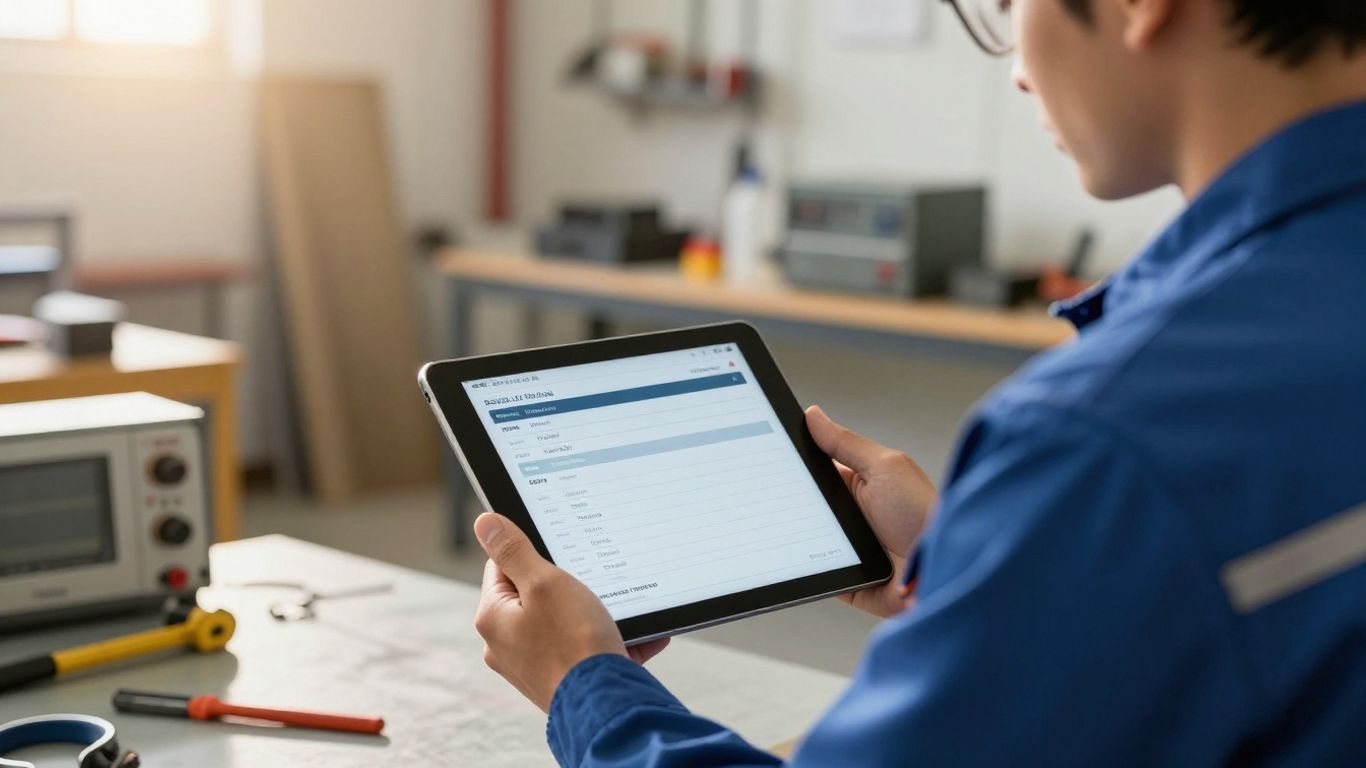
Your technicians are out in the field, not stuck at a desk. This software understands that. Mobile accessibility means your team can access job details, update progress, and even generate estimates right from their tablets or smartphones. This real-time connection is a game-changer. It allows for immediate updates and reduces the need for back-and-forth calls or emails. Imagine a technician finishing a job and being able to create the final invoice on the spot – that’s the power of mobile.
Scheduling and Dispatch Optimization
Estimating software often ties directly into scheduling and dispatch features. Once an estimate is approved, it can seamlessly transition into a work order. The system can then help you assign the right technician based on their skills, availability, and location. This isn’t just about filling slots; it’s about making sure the right person is at the right job at the right time, minimizing travel and downtime. It helps keep your entire operation running smoothly.
Service History Management
Keeping track of past jobs is incredibly useful. This feature lets you store detailed records of every service call, including what was done, what parts were used, and who performed the work. This historical data is gold. It helps you identify trends, understand the true cost of recurring issues, and provide more accurate estimates for similar jobs in the future. It’s like having a cheat sheet for every potential project.
Choosing the Right Estimating Software for Field Service
So, you’ve decided that estimating software is the way to go for your field service business. That’s a smart move. But with so many options out there, how do you pick the one that actually fits your needs? It’s not just about finding the cheapest or the one with the most bells and whistles. You need something that works for your team, your clients, and your bottom line. Let’s break down what to look for.
Evaluating Key Features and Capabilities
When you’re looking at different software, don’t just skim the feature list. Really think about what each one does and if it solves a problem you actually have. Some software might be great at automated quoting, but if it can’t handle your specific service types, it’s not much use. You’ll want to see things like:
- Automated Job Estimation and Quoting: This is the core, right? It should quickly generate detailed estimates based on your pricing, labor rates, and material costs. Look for software that lets you build a library of common services and parts.
- Mobile Accessibility for Field Teams: Your techs are out in the field, so they need to access and create estimates on their phones or tablets. This means offline capabilities and an easy-to-use interface are a big deal.
- Service History Management: Being able to pull up past jobs for a specific client or equipment type can save a ton of time and lead to more accurate estimates. It’s like having a cheat sheet for repeat work.
The goal is to find software that simplifies your current process, not adds more complexity. Think about the day-to-day tasks your team performs and how the software can make those easier and more accurate.
Considering Integration and Customization Options
No business runs on just one piece of software. Your estimating tool needs to play nice with the other systems you use. Think about your CRM, accounting software, or even inventory management. If you have to manually enter data from one system to another, you’re defeating the purpose of efficiency.
Customization is also key. Every business has its own way of doing things. Can the software adapt to your specific service offerings, pricing structures, and branding? A rigid system might force you to change how you operate, which isn’t ideal. Look for software that allows you to tailor things like estimate templates and reports to match your company’s style. Finding the right field service management software can make a big difference here.
Assessing User Experience and Support
This is a big one that often gets overlooked. If the software is clunky, confusing, or just plain hard to use, your team won’t adopt it. That means all that money and effort spent will go to waste.
- Intuitive Interface: Is it easy to find what you need? Can someone with basic computer skills learn to use it quickly?
- Training and Onboarding: What kind of support does the vendor offer when you first start using the software? Are there tutorials, webinars, or live training sessions?
- Ongoing Support: What happens when you run into a problem? Is customer support responsive and helpful? Check reviews to see what other users say about their support experiences.
Understanding Pricing Models
Software pricing can get complicated. Some charge a flat monthly fee, others charge per user, and some have tiered plans based on features or usage. It’s important to understand the total cost of ownership, not just the sticker price.
- Per-User vs. Flat Fee: If you have a small team, per-user might be fine. If you have a growing team, a flat fee might be more predictable.
- Hidden Costs: Are there extra charges for setup, training, or premium support? Make sure you get a clear picture of all potential expenses.
- Scalability: Does the pricing model allow you to grow your business without breaking the bank? Can you easily add users or features as needed?
Choosing the right estimating software is a process. Take your time, do your homework, and involve your team in the decision. The right tool will make your estimating process smoother, more accurate, and ultimately, more profitable.
Leveraging Estimating Software for Field Service Success
So, you’ve got this estimating software, and it’s doing a pretty good job of spitting out numbers. But are you really getting the most out of it? It’s not just about having the tool; it’s about how you use it to make your whole operation run smoother and, let’s be honest, make more money.
Improving Customer Satisfaction Through Transparency
Customers hate surprises, especially when it comes to bills. When your estimating software provides clear, detailed breakdowns of costs and services, it builds trust. They see exactly what they’re paying for, from parts to labor. This transparency means fewer arguments later and happier clients. A well-documented estimate is the first step to a satisfied customer. It shows you’re organized and professional, setting a good tone right from the start.
Boosting Revenue with Upsells and Add-Ons
This software isn’t just for basic quotes. Think of it as a sales tool. When you’re building an estimate, the system can often suggest related services or upgrades based on the initial request. For example, if someone needs a standard water heater replacement, the software might prompt you to offer a more energy-efficient model or suggest a yearly maintenance plan. This makes it easy to present these options to the customer, potentially increasing the job’s value without feeling pushy. It’s about offering solutions they might not have considered.
Streamlining Invoicing and Payment Cycles
Once the job is done, the last thing you want is a complicated invoicing process. Good estimating software often links directly to your invoicing system. This means you can generate an invoice straight from the approved estimate, often with just a few clicks. No more re-typing details or trying to remember what was agreed upon. This speeds up billing, reduces errors, and gets you paid faster. Integrating work orders and job costs with ERP financial modules allows for immediate invoice creation, accurate revenue recognition, and streamlined profitability analysis, enhancing field service management efficiency.
Data Management and Reporting for Performance Analysis
Every estimate you create, every job you complete, generates data. Your estimating software is a goldmine for this information. You can track which services are most profitable, how long certain types of jobs typically take, and where your costs are highest. This data helps you make smarter business decisions. Are you consistently underestimating labor for HVAC repairs? The reports will show you. This allows for continuous improvement in your estimating process and overall business strategy.
Integrating Software and Manual Techniques for Superior Estimates

Look, software is great. It speeds things up, cuts down on math mistakes, and generally makes life easier. But relying on it 100%? That’s where things can get a little dicey. The real magic happens when you blend that digital efficiency with the good old-fashioned know-how of your experienced team. It’s about using the software for what it’s best at, and then letting your people add that human touch that software just can’t replicate.
Combining Software Efficiency with Manual Nuance
Think of estimating software as your super-fast calculator and data organizer. It can crunch numbers for materials, labor, and overhead in seconds. But it might miss the little things. Maybe the job site has tricky access, or the client has a really specific, unusual request. That’s where your team steps in. They can look at a software-generated estimate and say, “Hold on, we need to add an extra half-day for that tricky bit,” or “This client always wants premium fixtures, not the standard ones.” This combination ensures you’re not just fast, but also incredibly accurate. It’s about getting the best of both worlds, really.
Utilizing Software for Standard Calculations and Scenario Analysis
Let the software handle the grunt work. It’s perfect for calculating material quantities from blueprints or figuring out standard labor hours based on historical data. It can also quickly show you different cost scenarios if, say, material prices jump up or you need to add an extra service. For example, you can plug in different labor rates or material costs to see how it impacts the final quote. This gives you a range of possibilities to consider, which is way better than just one number.
Customizing Software Inputs with Field Data
Software often uses general data. If your software uses a national average for a specific part, but you know your local supplier charges more (or less!), you should update that. Collecting real-time pricing from your suppliers and feeding that into the software makes your estimates much more realistic. It’s like giving the software local intel. You can also input notes about specific site conditions that the software wouldn’t know about, like difficult parking or the need for special equipment.
Establishing a Continuous Feedback Loop
After a job is done, don’t just file it away. Compare the final costs to your original estimate. Where were the big differences? Was it materials, labor, or unexpected issues? Use this information to tweak your software settings or adjust your manual review process. If your team consistently finds that the software underestimates travel time to a certain area, make a note of that. This ongoing review helps refine both the software’s performance and your team’s estimation skills over time, leading to better field service management software and more reliable quotes down the road.
Wrapping It Up
So, we’ve talked a lot about how software for estimating jobs in the field service world can really make a difference. It’s not just about making things look pretty for your customers, though that’s important. It’s about getting the numbers right, staying on schedule, and avoiding those nasty surprises that can mess up your profits. Using the right tools means you can give customers clear, honest quotes upfront, which builds trust. Plus, it frees up your team to focus on the actual work instead of getting bogged down in paperwork. Whether you’re just starting out or you’ve been doing this for years, looking into estimating software is a smart move for keeping your business running smoothly and your clients happy.
In today’s fast-moving field service environment, relying on guesswork or manual processes simply isn’t enough to stay competitive. By combining the speed and accuracy of estimating software with your team’s real-world expertise, you create a smarter, more reliable way to price jobs, manage schedules, and deliver consistent results. The outcome is simple: fewer errors, stronger customer trust, and a more efficient operation overall. If you’re ready to streamline your workflow and present your business with confidence, it may be time to explore how Fieldbin can support your growth—helping you turn every estimate into a smoother, more profitable job from start to finish.
Frequently Asked Questions
What exactly is field service estimating software?
Think of it like a super-smart calculator for jobs done outside the office. This software helps businesses figure out exactly how much to charge for services, like fixing a leaky pipe or setting up a new internet connection. It looks at things like how long a job will take, what parts are needed, and how much the workers get paid to come up with a fair price.
Why should my company use this kind of software?
Using this software means you won’t guess prices anymore! It helps you charge the right amount, so you don’t lose money or overcharge customers. It also makes sure you don’t forget any steps in the job, keeping everything organized and making your customers happier because they know what to expect.
What are the most important things this software can do?
It can automatically create price quotes for jobs, which saves a lot of time. It also lets your workers in the field use it on their phones or tablets to get information and update job details right away. Plus, it helps schedule who goes where and when, and keeps a record of past jobs.
How do I pick the best software for my business?
Look for software that’s easy for your team to use and has all the features you need, like making quotes and managing schedules. It’s also good if it can connect with other tools you already use, like for managing customer info or accounting. Think about how much it costs and if the company offers good help if you get stuck.
Can this software help my business make more money?
Yes! By giving clear and accurate prices upfront, customers trust you more. The software can also help you suggest extra services or better parts that customers might want, which can increase the total price of the job. It also makes billing easier, so you get paid faster.
Is it okay to still use my old way of estimating along with the software?
Absolutely! Software is great for speed and accuracy with numbers, but sometimes a human touch is needed for tricky details. You can use the software for the main calculations and then add your own knowledge to make sure the estimate is perfect. It’s like using a map and also asking for directions – you get the best result!