
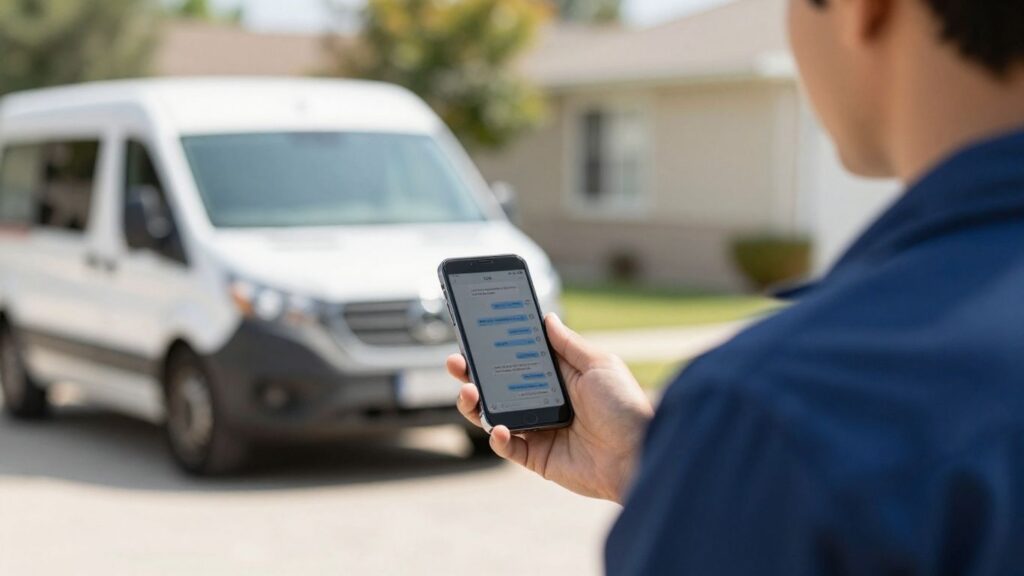
Field service businesses are always looking for ways to make things run smoother. One big area is how they talk to customers. Gone are the days of just sending out a text and hoping for the best. Now, it’s all about two-way SMS for field service. This means customers can actually talk back, ask questions, or confirm things right from their phone. It makes everything feel more connected and less like a one-way street. Let’s look at some ways this is changing the game.
Key Takeaways
- Two-way SMS lets customers reply directly to messages, turning one-way alerts into real conversations.
- Features like job confirmations, service updates, and reminders become interactive, reducing back-and-forth calls.
- A central inbox keeps all customer replies organized, making it easier for teams to manage communication.
- Automated replies and number verification help streamline processes and maintain professionalism.
- This technology improves team efficiency and customer satisfaction by creating a faster, more responsive communication loop.
1. Formitize Conversations
Formitize Conversations is a pretty neat addition that basically turns your standard SMS messages into a two-way street. Think about it: all those reminders, quotes, invoices, and even lead responses you send out? Now, when a customer hits reply, that message doesn’t just disappear into the void. It pops right back into your Formitize app, already linked up to the right customer and job. This means no more missed replies or digging through different systems to find out what a customer said.
It all lands in a new spot called the Conversations Inbox. This is where all customer replies from across your business come in, sorted by how important they are, and ready for your team to jump on. It’s designed to keep everything in one place, so you’re not bouncing between different apps or screens.
Here’s what this two-way SMS thing really does:
- You can send texts that customers can actually reply to.
- You get to see and manage these chats like a regular text conversation.
- A full history of what’s been sent and received is kept handy.
- You can answer both messages you sent manually and ones that went out automatically.
- Each customer gets their own separate conversation thread.
Before this, SMS was mostly a one-way announcement. If a customer replied, it was easy to miss, or the response would get lost somewhere. Teams had to check multiple places, and important messages could get delayed. Formitize Conversations fixes that by capturing every reply, making it visible, and easy to respond to. It gives you a much better handle on your customer communication.
This really just makes things simpler. Instead of SMS being just for alerts, it becomes a real way to talk back and forth, keeping things organized and making sure you don’t miss a beat with your customers.
2. Text-Em-All
Text-Em-All is a platform that really simplifies sending messages to groups, whether it’s your customers or your team. It’s built for businesses that need to get information out quickly and also want to hear back.
One of the standout features is its two-way texting capability. This means you’re not just blasting out a message; you can actually have a conversation. Think about sending out a service appointment reminder and having the customer text back to confirm or ask a quick question. Text-Em-All handles all of that from a single number, making it easy to manage.
Here’s what makes it useful for field service:
- Instant Communication: Send out job updates, schedule changes, or urgent alerts to your technicians in the field without delay.
- Customer Engagement: Confirm appointments, send service completion notices, or even gather quick feedback after a job is done.
- Team Coordination: Keep your entire crew in the loop, whether they’re on-site or back at the office.
They also make sure you stay compliant. Text-Em-All automatically recognizes and respects opt-out messages, which is a big deal for avoiding trouble and keeping your customers happy. It’s designed to be straightforward, so you can get started without a huge learning curve. Many users mention how easy the website is to use and how clear the instructions are for setting things up, even for integrating with other apps.
The platform aims to make communication feel natural, like a regular text message, but with the power to manage it for a whole business. It’s about making sure messages get seen and that you can respond efficiently when needed.
3. Cinch
Cinch is a platform built with multi-location businesses, like franchises, in mind. It really focuses on helping you connect with customers across all your different branches. They aim to make your text messaging program work harder for you, not against you.
One of the cool things Cinch offers is the ability to use your existing business phone numbers. This makes it super easy for customers because they can text or call the same number they already know. It just feels more familiar, right?
Cinch also helps with marketing and customer feedback. You can set up things like:
- Surveys: Get quick feedback right after a service. This helps you see what customers think in real-time.
- Landing Pages: Collect contact info and get people to opt-in to your text messages.
- Coupons: Create special offers that you can track to see how well they’re working and what kind of return you’re getting.
They also talk about how SMS messages have really high open rates, often over 90%. Most people check their texts pretty fast, too. So, when you send something out, it’s likely to get seen.
Cinch helps businesses figure out what’s working well at one location and then apply that success to other branches. It’s all about replicating good results and growing consistently.
If you’re worried about managing texts all day, Cinch has automated responses. You can set up messages that go out automatically, so you don’t have to be glued to your phone. This keeps things professional without taking up all your time. They also support both SMS (short, 160-character messages) and MMS (which lets you send pictures, videos, and emojis), giving you flexibility in how you communicate.
4. Job Confirmations
Getting a customer to confirm their appointment is a big deal for field service businesses. It means less wasted time, fewer no-shows, and a more predictable schedule. With two-way SMS, this confirmation process gets a whole lot easier.
Instead of just sending out a reminder and hoping for the best, you can now ask customers to reply and confirm. Something like, ‘Hi [Customer Name], your service appointment is scheduled for [Date] at [Time]. Please reply YES to confirm or call us to reschedule.’ This simple prompt makes it clear what action you need them to take.
Here’s how it helps:
- Reduces No-Shows: Customers are more likely to show up when they’ve actively confirmed their appointment. It’s a small step that makes a big difference.
- Streamlines Scheduling: If a customer needs to reschedule, they can do it right from their phone by replying. This means your office staff doesn’t have to spend time making follow-up calls.
- Improves Office Efficiency: Imagine not having to chase down every single confirmation. Your team can focus on other important tasks instead of playing phone tag.
This kind of interaction is a game-changer. It turns a one-way notification into a quick conversation, making sure everyone is on the same page before the technician even heads out the door. It’s a smart way to manage your appointments and keep your field service operations running smoothly. You can even integrate this with your scheduling software to automatically update appointment statuses based on customer replies.
5. Service Updates
Keeping your customers in the loop about their service appointments is a big deal. When your field team is on the way, or if there’s a slight delay, a quick text message can make all the difference. This proactive communication helps manage expectations and reduces those ‘where are you?’ calls.
Think about it: a technician is running a bit behind schedule due to traffic. Instead of the customer wondering, they get a text saying, "Hi [Customer Name], your technician, [Technician Name], is running about 15 minutes late due to unexpected traffic. They’ll be there around [New ETA]. Sorry for the inconvenience!"
Here’s how service updates via SMS can work for you:
- Technician En Route: Send a notification when the service professional leaves the previous job or their location.
- Arrival Confirmation: A quick text when they pull up to the customer’s address.
- Delay Notifications: Inform customers immediately if there’s a hold-up, providing a revised estimated time of arrival (ETA).
- Job Completion: A simple message confirming the work is done and any immediate next steps.
This kind of real-time information sharing not only makes the customer feel valued but also helps your team manage their day more smoothly. It cuts down on no-shows and rescheduling because customers are better informed.
It’s all about providing that transparency that builds trust. When customers know what’s happening, they’re generally more patient and satisfied with the overall service experience. Plus, it gives them an easy way to reply if they have a quick question or need to let you know something on their end.
6. Follow-Ups
After the job is done, the communication shouldn’t just stop. That’s where follow-ups come in. Sending a quick text message after a service call is a great way to check in with your customer. It shows you care about their satisfaction and are committed to doing a good job.
This simple step can make a big difference in how customers perceive your business.
Here’s why follow-ups are so useful:
- Gather Feedback: Ask customers if they were happy with the service. This direct feedback is gold for improving your operations.
- Address Concerns: If something wasn’t quite right, a follow-up text gives the customer an easy way to let you know, so you can fix it.
- Build Loyalty: A quick check-in makes customers feel valued, which encourages them to come back next time they need your services.
- Request Reviews: If the customer is happy, you can even politely ask them to leave a review online.
Following up via text is efficient. Instead of waiting for a phone call or email, customers can reply quickly, and you get that information right away. It keeps the lines of communication open without being intrusive.
For instance, you could send something like: "Hi [Customer Name], this is [Your Name] from [Company Name]. Just checking in to see if you’re happy with the service we provided today. Please reply with any questions or feedback."
7. Reminders
Sending out reminders for appointments or service calls is a big part of keeping a field service business running smoothly. If customers forget, it means lost time and money for you, and a bad experience for them. Two-way SMS software makes this process way easier and more effective. Instead of just sending a one-off text that might get ignored, you can send a reminder that allows the customer to reply. They can confirm their appointment, ask a quick question, or even request to reschedule, all directly from their phone.
This kind of interaction is super helpful. It cuts down on no-shows significantly. Think about it: a simple text reminder, followed by an easy way to confirm or adjust, means fewer missed appointments. It’s a win-win. Plus, it shows your customers you’re organized and considerate of their time.
Here’s how SMS reminders can be structured:
- Initial Reminder: Sent a few days before the appointment.
- Confirmation Reminder: Sent the day before, asking for a quick confirmation.
- Day-Of Reminder: Sent a couple of hours before the service call.
The ability for customers to reply directly to these reminders is key. It turns a simple notification into a conversation, allowing for immediate adjustments and reducing the back-and-forth that often happens with phone calls. This kind of proactive communication helps manage expectations and keeps your schedule tight. It’s a simple feature that makes a big difference in customer communication and overall efficiency.
8. Conversations Inbox
Think of the Conversations Inbox as your business’s central hub for all text message interactions. It’s where every single reply, from job confirmations to simple questions, lands. This single stream of communication means no more missed messages or digging through different platforms to find out what a customer said.
Before this, SMS was mostly a one-way street. You’d send out a reminder, and that was that. If a customer replied, their message might get lost, or you’d have to check a separate system. It was a hassle, frankly.
Now, everything comes into one place, organized like a chat you’d have on your phone. You can see who said what, when, and it’s all tied to the right customer and job. It makes responding so much easier.
Here’s what it helps you do:
- See all customer replies in one spot.
- Respond quickly without switching apps.
- Keep a clear history of every text exchange.
- Handle replies to both automated messages and direct texts.
This unified inbox cuts down on confusion and makes sure your team is always on the same page. It’s about making communication straightforward so you can focus on the actual work.
It’s a pretty big deal for keeping things running smoothly, especially when you’ve got a lot going on. You can easily track individual customer threads, making sure each conversation gets the attention it needs. It really simplifies how you stay connected.
9. Auto-Replies
Sometimes, you just can’t get to the phone right away. That’s where auto-replies come in handy for field service businesses. These automated messages let customers know you’ve received their text and when they can expect a response. It’s like a digital handshake, assuring them they’re not being ignored.
Think about it: a customer texts to reschedule, but you’re elbow-deep in a repair. Instead of them wondering if you even saw their message, an auto-reply can instantly confirm receipt. You can set these up to go out immediately when a text comes in, especially during off-hours or when your team is swamped.
Here are a few ways auto-replies can help:
- Instant Acknowledgement: Lets the customer know their message arrived.
- Set Expectations: Provides an estimated response time (e.g., "We’ll get back to you within 24 business hours.").
- Provide Basic Info: Can direct customers to an FAQ page or your business hours.
- Out-of-Office Notification: Useful when the team is on vacation or during holidays.
Auto-replies are a simple yet effective way to manage customer expectations and maintain a professional image, even when you’re not actively at your desk. They bridge the gap between the customer’s immediate need and your team’s availability.
For example, you could set up a standard auto-reply like: "Thanks for your message! We’ve received it and will respond as soon as possible, typically within one business day. For urgent matters, please call us at [Your Phone Number]." This simple message can make a big difference in customer satisfaction. It shows you’re organized and respect their time, even if you can’t reply instantly.
10. Number Verification
Sending texts is great, but what if you’re sending them to numbers that don’t even exist? That’s a waste of time and money, plain and simple. Number verification is like a quick check before you send anything out. It makes sure the phone number you have on file is actually a real, working number. This simple step can save you a lot of headaches and make sure your messages actually get a chance to be read.
Think about it: you’re trying to confirm an appointment or send an update, and the message just bounces back because the number is wrong or disconnected. Frustrating, right? Verification helps avoid that. It’s a way to clean up your contact list and make sure your communication efforts aren’t going to dead ends.
Here’s why it’s a good idea:
- Reduces wasted spending: You’re not paying to send messages to invalid numbers.
- Improves delivery rates: Your messages are more likely to reach actual people.
- Keeps your contact list clean: Helps maintain accurate customer information.
- Boosts efficiency: Less time spent dealing with bounced messages or trying to track down correct numbers.
Some software can automatically check numbers when you import them or even as you add new contacts. It’s a background process that just makes your texting smoother.
It’s a small feature, but for field service businesses where every communication counts, it makes a real difference in keeping things running smoothly.
Conclusion
Wrapping things up, two-way SMS software is kind of a game changer for field service businesses. It takes all those scattered messages and puts them in one spot, so nothing slips through the cracks. Your team can send updates, customers can reply right away, and you don’t have to chase people down with phone calls or emails. It just makes life easier for everyone—less confusion, more answers, and faster responses. If your business is growing and you’re tired of messy communication, this is a pretty straightforward way to keep things organized and keep your customers happy. Honestly, once you try it, you’ll probably wonder how you managed without it.
Frequently Asked Questions
What exactly is two-way SMS messaging?
Two-way SMS messaging is like having a text message conversation with your customers. You can send them a text, and they can text you right back, just like texting a friend. It turns a simple message into a chat.
Where can I see all these text conversations?
You can manage all your text message conversations in one main place, like a special inbox on your computer. It looks like a chat window, so you can easily see who said what and reply.
What happens if a customer replies to an automatic text?
If a customer replies to a text you sent automatically, like a reminder, their reply still comes to you. It shows up in the same conversation thread, so you don’t miss anything.
Can any kind of business use this two-way texting?
Yes, definitely! It’s super helpful for businesses that send people out to do jobs, like plumbers or electricians. It’s also great for office teams who book appointments or need to send updates.
Can I send pictures or files through these text messages?
Right now, this feature is just for sending and receiving text. You can’t send pictures, videos, or other files using this specific tool.
Can my team use this on their phones while out on jobs?
Currently, the best way to use the two-way texting is through the web portal on a computer. While you can send texts from phones, managing the full conversation history and features is easiest on the website.