
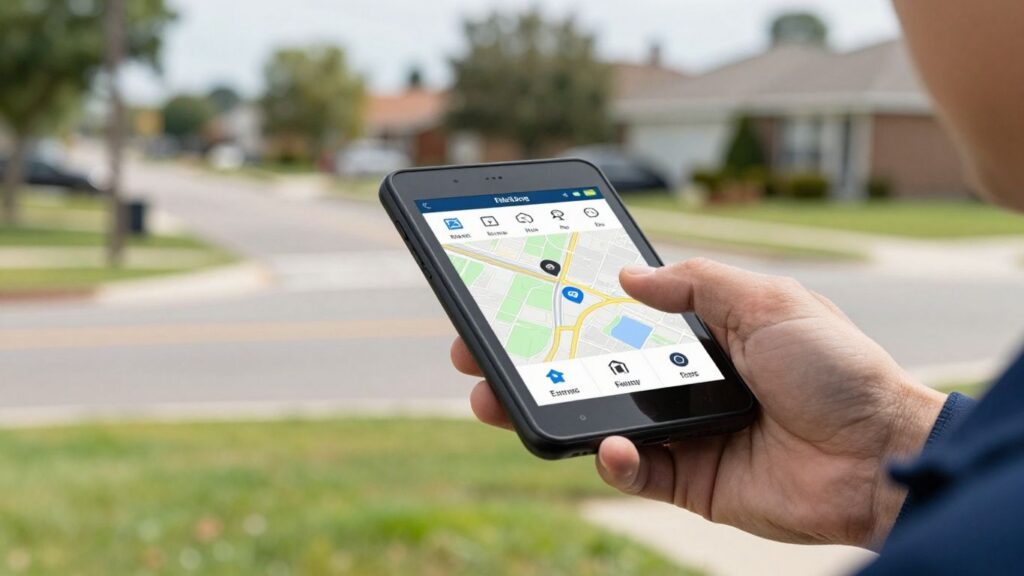
As field service companies grow, keeping track of everyone and everything can get pretty messy. You’ve got folks out in the field, customers waiting, and jobs piling up. Trying to manage all this with just phone calls and spreadsheets is like trying to herd cats. That’s where mobile dispatch software for field service comes in. It’s basically a digital command center that helps you send the right people to the right places, right on time. We’ll break down what it is, why you might need it, and what to look for.
Key Takeaways
- Mobile dispatch software for field service connects your office staff with your technicians in the field, making job assignments and communication much simpler.
- Using this type of software can lead to more work getting done, happier customers, and lower operating expenses by cutting down on wasted time and fuel.
- Key features to look for include real-time communication tools, smart scheduling and routing, and the ability to track jobs from start to finish.
- When picking a solution, think about what your business truly needs, if it can connect with your other tools, and if it can grow with you.
- Getting your team trained and then watching how the software performs is important for making sure it actually helps your business run smoother.
Understanding Mobile Dispatch Software For Field Service
As your field service business grows, keeping track of everyone and everything can get pretty hectic. You’ve got technicians out in the field, customers waiting, and unexpected issues popping up all the time. This is where mobile dispatch software comes in. It’s basically a digital command center that helps you manage your team and jobs more effectively, right from your phone or tablet.
What is Field Service Dispatching?
At its core, dispatching is all about coordinating and sending out your people, vehicles, or equipment to get jobs done at different locations. For field service companies, this usually means sending out technicians to fix a leaky faucet, tune up an AC unit, or maintain a client’s landscaping. Doing this manually, especially as you get busier, is a recipe for missed appointments and confused staff. Dispatch software takes this coordination and makes it way simpler and faster.
Industries That Benefit From Dispatch Software
Lots of different businesses can really use dispatch software to keep things running smoothly. Think about:
- HVAC Companies: They need to send technicians out for everything from routine check-ups to emergency repairs. Software helps them schedule efficiently and get the right person to the job quickly.
- Landscaping Businesses: Managing crews for different properties, especially with changing weather or last-minute client requests, is a lot easier with software that can adjust schedules on the fly.
- Plumbers: When a pipe bursts, you need to send the closest available plumber ASAP. Dispatch software makes this kind of rapid response possible.
- Electricians, Appliance Repair, and More: Any business that sends skilled workers to customer locations can benefit from better organization and communication.
Types of Dispatching Methods
There are a few ways dispatching can happen, and software often combines them:
- Manual Dispatching: This is the old-school way, using phones, radios, and whiteboards. It’s prone to errors and slow.
- Automated Scheduling: Software can automatically assign jobs based on technician skills, location, and availability, cutting down on guesswork.
- Real-Time Dynamic Dispatching: This is the most advanced. It uses live data, like GPS tracking and instant communication, to adjust assignments and routes as situations change. If a job runs long or a new emergency comes in, the system can quickly re-route technicians.
Mobile dispatch software acts as the central nervous system for your field service operations. It connects your office staff with your technicians in the field, providing real-time updates and making sure everyone has the information they need to do their job right.
Using this kind of software means your team can respond faster, manage their time better, and ultimately, keep your customers happier. It’s not just about sending people out; it’s about doing it smartly and efficiently.
Key Benefits of Mobile Dispatch Software
Using mobile dispatch software can really change how a field service business operates, and not just in small ways. It’s about making things run smoother, keeping customers happy, and saving money. Think about it: when your team out in the field can get job details, updates, and directions instantly on their phones or tablets, a lot of time is saved. No more waiting for a dispatcher to call back or trying to read a scribbled note. This means more jobs get done, and done right.
Enhanced Productivity and Efficiency
This is probably the most obvious win. When dispatchers can see where everyone is and what they’re doing in real-time, they can send the closest technician to a new job. This cuts down on travel time significantly. Plus, automated scheduling means less time spent on the phone trying to figure out who’s free and where they are. Technicians get clear instructions and can update job statuses instantly, which helps the office know exactly what’s happening without constant check-ins. It’s like having a control center right in your pocket.
- Faster job assignment: Send the nearest tech to a new call.
- Reduced travel time: Optimized routes mean less time stuck in traffic.
- Less administrative work: Automation handles scheduling and updates.
- Quicker job completion: Clear info and instant updates speed things up.
Improved Customer Satisfaction
Happy customers are repeat customers, right? Mobile dispatch software helps make sure your clients get the service they expect, when they expect it. When a technician is running late, the dispatcher can let the customer know before they start wondering. Real-time tracking also means you can give more accurate arrival times. Plus, when jobs are done efficiently and correctly the first time, customers notice. It builds trust and makes them more likely to call you again.
Providing accurate arrival times and keeping customers informed about service status makes a huge difference in their overall experience. It shows you respect their time.
Reduced Operational Costs
Saving money is always a good thing. By optimizing routes, you’re using less fuel. Less time spent driving means less wear and tear on vehicles. Automation also means you might not need as many people in the office just to handle scheduling and dispatching, or those people can focus on more important tasks. Tracking job times can also help identify inefficiencies, so you can fix them before they become big expenses.
| Cost Area | Potential Savings with Software | Example |
|---|---|---|
| Fuel | 10-20% | Shorter, more direct routes |
| Vehicle Maint. | 5-15% | Less mileage and engine idling |
| Labor (Admin) | 5-10% | Automated scheduling, fewer phone calls |
| Overtime | Varies | Better planning reduces last-minute rushes |
Data-Driven Decision Making
This software isn’t just about getting jobs done today; it’s about getting better at it tomorrow. You get a ton of data: how long jobs actually take, which routes are the slowest, how often technicians are on time. Looking at this information helps you figure out where things can be improved. Maybe a certain type of repair always takes longer than you think, or perhaps one route is consistently a problem. You can use this to train your team better, adjust your pricing, or even plan your service areas more effectively. It turns guesswork into smart planning.
Core Features of Dispatching Software
When you’re looking at dispatch software, it’s not just about picking one that sounds fancy. You need to know what it actually does to help your team out in the field and back at the office. Think of these as the building blocks that make everything run smoother.
Real-Time Communication Platform
This is a big one. Field service is always changing, right? A job might take longer than expected, or a customer might have a last-minute question. Having a way for dispatchers and technicians to talk instantly is key. It means if something pops up, the dispatcher can let other techs know about changes to their schedule, or a tech can ask for clarification without having to stop everything and make a call. This keeps everyone on the same page and helps avoid those awkward delays.
- Instant messaging: Quick texts or notes between office and field.
- Push notifications: Alerts for new jobs or urgent updates.
- Status updates: Technicians can easily mark jobs as started, paused, or completed.
Good communication means fewer mistakes and happier customers because they get accurate updates about when to expect service.
Efficient Scheduling and Routing
This is where the software really shines. Instead of manually trying to figure out who goes where and when, the software can do a lot of the heavy lifting. It looks at who’s available, where they are, and what skills they have, then suggests the best person for the job. Plus, it figures out the quickest way for them to get there, saving time and gas money.
- Automated job assignment: Matches jobs to the right technician based on skills and location.
- Optimized route planning: Calculates the most efficient path to minimize travel time.
- Calendar integration: Syncs with existing schedules to avoid conflicts.
Job Tracking and Management
Once a job is assigned, you need to know what’s happening with it. This feature lets dispatchers see the status of every job from start to finish. They can track how long things are taking, what parts were used, and if there were any issues. This information is super useful for figuring out how long future jobs might take and if any technicians need extra training on certain tasks.
- Job status monitoring: From assignment to completion.
- Time and material logging: Records time spent and parts used on each job.
- History and reporting: Creates a record of all work done for future reference.
GPS-Enabled Field Dispatching
Knowing where your team is can make a huge difference. With GPS tracking, dispatchers can see the live location of all their field staff. This is great for sending the closest technician to an emergency call or just for keeping an eye on overall team movement. It also helps in giving customers more accurate arrival times, which is always a plus.
- Real-time technician location: See where everyone is on a map.
- Geofencing: Set virtual boundaries for job sites.
- ETA calculations: Provides estimated arrival times based on current location and traffic.
Choosing the Right Dispatch Software Solution
So, you’ve decided that getting some dispatch software is the way to go. That’s a smart move, really. But now comes the tricky part: picking the one that actually fits your business. It’s not a one-size-fits-all deal, and jumping into the wrong system can cause more headaches than it solves. Let’s break down how to make a good choice.
Assessing Your Business Needs
Before you even look at software, you gotta know what you need it to do. Think about your day-to-day operations. What are the biggest bottlenecks? Are your dispatchers drowning in paperwork? Are your field techs constantly getting lost or running late?
- What problems are you trying to fix? (e.g., missed appointments, inefficient routes, poor communication)
- What features are non-negotiable? (e.g., real-time GPS tracking, customer history, automated scheduling)
- What’s your budget? Be realistic here. Some fancy systems cost a pretty penny.
- How many users will need access? This affects pricing and licensing.
Understanding your core requirements is the first step. Don’t get swayed by flashy features you’ll never use. Focus on what will genuinely make your team more effective and your customers happier.
Integration Capabilities
Your new dispatch software probably won’t live in a vacuum. It needs to play nice with the other tools you’re already using. Think about your accounting software, your CRM, or even your inventory management system. If the dispatch software can’t connect with these, you might end up doing a lot of manual data entry, which defeats the purpose of automation.
- Accounting Software: Does it sync with QuickBooks, Xero, or whatever you use?
- CRM: Can it pull customer information or push job details?
- Other Tools: Do you use project management software or anything else critical?
Look for software that offers APIs or pre-built integrations. This makes the connection process much smoother.
Scalability and Flexibility
Your business isn’t going to stay the same, right? You’ll hopefully grow. So, the software you pick needs to grow with you. A system that’s perfect for a team of five might be completely useless for a team of fifty. You want something that can handle more users, more jobs, and more complex scheduling as your company expands.
- Can it handle more technicians?
- Does it offer advanced features you can add later?
- Is the pricing structure flexible as you grow?
Flexibility also means adapting to changes. If you need to adjust your service offerings or change how you schedule, the software should be able to keep up without a major overhaul.
Considering Multilingual Support
This is becoming more important, especially if you have a diverse workforce. If your field technicians speak different languages, having dispatch software that can communicate in multiple languages is a huge plus. It cuts down on misunderstandings and makes sure everyone is on the same page, no matter their native tongue. Think about whether your team primarily speaks English, or if Spanish, or another language, is common. Software that supports this can really smooth out communication.
Implementing Dispatch Software Effectively
So, you’ve picked out the perfect mobile dispatch software. That’s a big step! But honestly, just having the software isn’t the magic bullet. The real work starts now, making sure your team actually uses it and gets the most out of it. It’s like buying a fancy new tool; you still need to learn how to use it properly to get anything done.
Training Your Field and Office Teams
This is probably the most important part. If your team doesn’t know how to use the software, it’s just a shiny, expensive paperweight. You need to show everyone, from the folks in the office taking calls to the technicians out in the field, exactly how it works. Don’t just hand them a manual; make it hands-on.
- Office Staff: They need to know how to schedule jobs, assign technicians, and communicate with the field team through the system. They’re the conductors of the orchestra, so they need to know every instrument.
- Field Technicians: They need to understand how to receive job details, update job status, log their time and materials, and communicate back to the office. This is their daily tool, so it needs to be intuitive for them.
- Management: They should be trained on how to pull reports and use the data to make better decisions.
Think about different training sessions. Maybe a big kickoff meeting, followed by smaller, more focused workshops. And always have someone available for questions – a go-to person who can help when someone gets stuck.
Monitoring Performance and Adjusting
Once everyone’s trained, you can’t just walk away. You need to keep an eye on how things are going. Are people using the software as intended? Are there any bottlenecks or common issues popping up?
- Check Usage: Are technicians updating job statuses in real-time? Are office staff assigning jobs efficiently?
- Gather Feedback: Ask your team what’s working and what’s not. They’re the ones using it every day, so their input is gold.
- Review Reports: Look at the data the software provides. Are job times accurate? Are routes being optimized?
Based on what you see and hear, you’ll likely need to make some tweaks. Maybe a certain feature isn’t clear, or perhaps a workflow needs a slight adjustment. It’s an ongoing process, not a one-and-done deal.
Best Practices for Service Dispatching
Beyond just using the software, there are some tried-and-true methods for dispatching that will make your whole operation run smoother. These aren’t necessarily tied to a specific button in the software, but they’re things the software helps you do better.
- Prioritize Wisely: Not all jobs are equal. Emergency calls or high-priority clients should get bumped to the front of the line. Your software can help you flag these.
- Communicate Clearly: Make sure there’s always a clear line of communication between the office and the field. If a job is running late, the technician should be able to update the dispatcher instantly, who can then inform the customer.
- Keep Records: Accurate job histories are super helpful. If a customer calls back with the same issue, you can quickly see what was done last time and who did it.
- Optimize Routes: Use the GPS features to send the closest technician to the job. This saves time, fuel, and makes customers happier with faster response times.
Implementing new software is a journey. It requires patience, clear communication, and a willingness to adapt. Don’t expect perfection overnight. Focus on continuous improvement and supporting your team through the transition. The benefits of a well-implemented system will far outweigh the initial effort.
Here’s a quick look at how different job types might be prioritized:
| Job Type | Priority Level | Notes |
|---|---|---|
| Emergency Repair | Highest | Safety, critical system failure |
| Scheduled Maint. | Medium | Routine checks, preventative work |
| New Installation | Medium | Planned, but can sometimes be flexible |
| Customer Inquiry | Low | Information requests, non-urgent issues |
Top Mobile Dispatch Software Options
So, you’ve decided to get some dispatch software. That’s a smart move, honestly. But with so many options out there, picking the right one can feel like a puzzle. Let’s break down some of the popular choices to help you find a good fit for your team.
Specialized Field Service Tools
Some software is built specifically for certain trades. If you’re in HVAC, plumbing, or electrical work, you might find tools like FieldEdge or ServiceTitan really useful. They often come with features tailored to those industries, like managing customer history for specific equipment or tracking specialized parts. They’re designed to handle the day-to-day grind of service calls.
Versatile Dispatch Solutions
Then there are the more all-around options. These can work for a wider range of businesses. Think about solutions that offer a solid set of features for scheduling, dispatching, and tracking jobs. They might not be as niche as the specialized ones, but they can be really flexible. For example, Workyard is known for its time tracking and job costing, which is great if you need to keep a close eye on labor expenses across different projects. Another option is Coast offers field service management software which is built with mobile technicians in mind, making it easier for them to manage their day right from their phones.
Software with Advanced Communication Features
Communication is key in dispatching, right? Sometimes, you need software that really shines here. If your team has members who speak different languages, or if you just want to make sure everyone gets messages quickly, look for tools that offer advanced communication. Team Engine, for instance, is noted for its real-time messaging capabilities, including support for multiple languages like Spanish. This can be a huge help in making sure instructions are clear for everyone on the crew, no matter their primary language. It helps avoid those awkward misunderstandings that can happen when language is a barrier.
When you’re looking, consider these points:
- Real-time updates: Can dispatchers and techs see job status changes instantly?
- Ease of use: Is the app simple enough for your team to pick up quickly?
- Integration: Does it play nice with any other software you already use?
Choosing the right software isn’t just about features; it’s about finding something that your team will actually use and that makes their jobs easier. A complicated system that nobody uses is just a waste of money and time.
Wrapping Up
So, we’ve talked a lot about how dispatch software can really change things for field service teams. It’s not just about sending people out the door; it’s about making sure everyone knows what they’re doing, where they’re going, and when they’ll get there. From keeping track of jobs to making sure your team can talk to each other easily, even if they speak different languages, this kind of tech helps everything run smoother. Picking the right software might seem like a big step, but honestly, it can save you a ton of headaches and make your customers a lot happier. It’s about working smarter, not just harder, and getting those jobs done right the first time.
Frequently Asked Questions
What exactly is mobile dispatch software for field service teams?
Think of it as a super-smart system that helps businesses manage people who work out in the field, like repair people or landscapers. It helps bosses send the right person to the right job at the right time, using phones or tablets. It’s like a digital dispatcher that keeps everyone connected and informed, making sure jobs get done smoothly.
How does this software make teams more productive?
It speeds things up a lot! Instead of making tons of phone calls, dispatchers can instantly send job details, schedules, and updates to technicians’ phones. This means less time wasted figuring things out and more time actually doing the work. Plus, it helps plan the best routes, so less time is spent driving around.
Can this software really make customers happier?
Absolutely! When teams are organized and efficient, they can get to customers faster. The software often provides real-time updates, so customers know when to expect their service person. Quick, reliable service usually leads to happy customers who will call again.
What are the main features I should look for?
Key things to have are a way for the office and field teams to talk easily in real-time, smart tools for planning schedules and routes, a way to track jobs from start to finish, and GPS so dispatchers know where everyone is. Some software can even send automatic updates to customers.
Is it hard to get my team to use this new software?
It can be a bit of a learning curve, but it’s worth it. Most good software comes with training materials, and it’s important to teach your office staff and field technicians how to use it well. The goal is to make their jobs easier, so they’ll likely see the benefits quickly.
What if my team speaks different languages?
That’s a great question! Some advanced dispatch software has features that help bridge language gaps. They can send messages or notifications in different languages, making sure everyone on your diverse team understands instructions and updates, no matter what language they speak.