
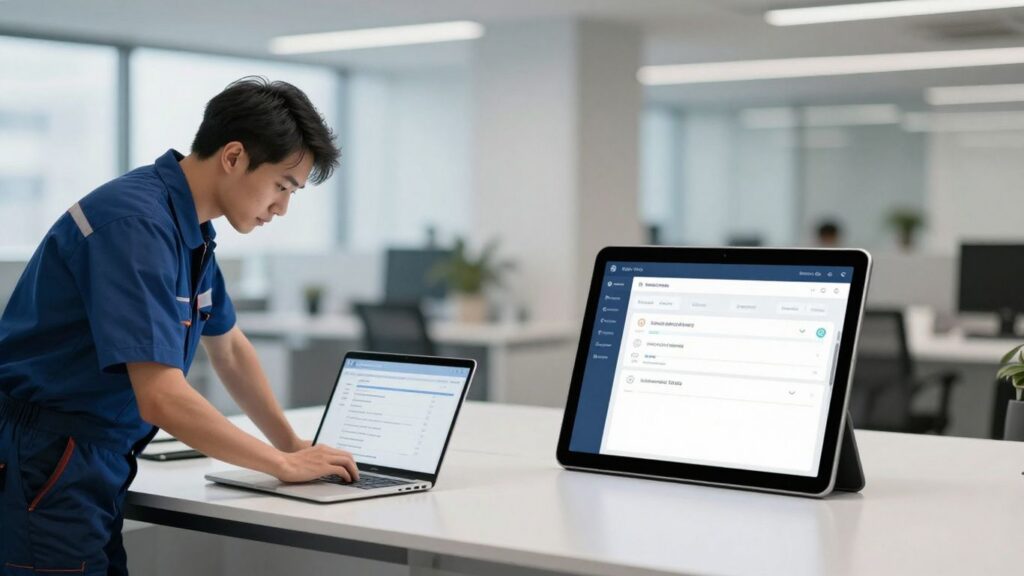
Trying to keep your service business organized can feel like juggling too many balls at once. There’s the never-ending list of appointments, last-minute changes, and everyone wants updates right now. Job scheduling software for service companies is supposed to make all of this easier, but with so many options, it’s tough to know what actually works. In this article, we’ll break down what you really need to look for, which tools fit certain industries, and how to avoid paying for stuff you’ll never use.
Key Takeaways
- Choose job scheduling software for service companies that matches your specific industry needs, not just a long list of features.
- Make sure the software can grow with your business, whether you have a small team or a large operation.
- Look for tools that handle real-time updates, mobile access, and easy customer communication.
- Integration with your current systems (like accounting or inventory) is important for less hassle later.
- Don’t get distracted by fancy extras—focus on what will actually solve your daily scheduling headaches.
Understanding Your Service Business Needs

Before you even start looking at software, the most important thing is to really know what your business actually does and what it needs. It sounds obvious, right? But it’s easy to get caught up in all the shiny features other companies are talking about and forget about your own day-to-day reality. Think about how your team works, who your customers are, and what problems you’re trying to solve. Is it the endless phone calls for booking? Are your technicians spending too much time driving between jobs? Or maybe it’s keeping track of parts and inventory that’s a constant headache.
Tailoring Software to Operational Models
Not all service businesses run the same way. A plumbing company dealing with emergency calls and seasonal demand has different needs than a house cleaning service that focuses on regular, recurring appointments. You need software that fits your specific way of operating, not one that forces you into a mold.
- Field Service Operations: These businesses often need robust dispatching, route optimization, and mobile access for technicians on the go. Think HVAC, electrical, or appliance repair.
- Home Services: Companies like cleaners, landscapers, or painters might prioritize easy online booking, recurring service management, and customer communication for repeat business.
- Professional Services: Consultants or agencies might need more focus on appointment scheduling, client portals, and integration with project management tools.
Industry-Specific Requirements for Scheduling
Different industries have unique rules and demands. For example, medical practices have strict privacy regulations (like HIPAA) to follow, which means any scheduling software must have strong security and data protection features. A salon or spa, on the other hand, might need to manage different service durations, track product sales, and handle package deals. Trying to use a generic calendar app for these specialized needs just won’t cut it.
It’s about finding a tool that understands the nuances of your specific trade. Generic solutions often miss critical functions that are standard in your industry, leading to workarounds and inefficiencies.
Assessing Core Functionality Over Feature Lists
When you look at software, it’s tempting to be impressed by long lists of features. But ask yourself: will you actually use all of them? It’s better to have a few core functions that work perfectly for your business than dozens of features that just add clutter and complexity. Focus on what will solve your biggest pain points right now.
Here’s a quick way to think about it:
- Identify Your Top 3 Problems: What are the biggest headaches in your current scheduling and operations? (e.g., missed appointments, inefficient dispatching, payment delays).
- Match Software to Problems: Look for software that directly addresses these specific issues.
- Prioritize Core Needs: Don’t get distracted by bells and whistles. Does it handle booking, dispatching, and communication well? That’s often enough to make a big difference.
Key Features of Job Scheduling Software
So, you’re looking into job scheduling software, huh? It’s a big step, and honestly, it can feel a bit overwhelming with all the options out there. But at its core, this kind of software is all about making your life easier and your business run smoother. Think of it as your digital command center for appointments and field work. Instead of juggling phone calls, sticky notes, and a calendar that looks like a Jackson Pollock painting, these platforms bring everything into one spot. It’s about getting the right people to the right place at the right time, without all the usual headaches.
Automated Dispatching and Technician Coordination
This is where the magic really happens. Good software doesn’t just assign jobs; it thinks about who’s best suited for what. It looks at things like technician skills, their current location, and even traffic conditions to figure out the most efficient way to get a job done. This smart dispatching means less travel time for your team and faster service for your customers. It can also handle last-minute changes, reassigning jobs on the fly if something comes up. It’s like having a super-organized dispatcher working 24/7, making sure everyone knows where they need to be and when.
Customer Communication and Self-Service Booking
Let’s face it, customers these days expect things to be easy. They want to book appointments online without having to call during business hours. Scheduling software often includes customer portals where people can see available slots, book their own appointments, and even get reminders. This not only makes things convenient for them but also frees up your front desk staff. Plus, automated confirmations and updates mean fewer
Choosing the Right Software for Your Team
So, you’ve looked at all the cool features and figured out what your business actually needs. Now comes the part where you pick the actual tool. It’s not just about finding something that looks good on paper; it’s about making sure it actually works for your crew and fits into your daily grind without causing more headaches than it solves.
Scalability: From Small Teams to Enterprise Operations
When you’re just starting out, maybe with a handful of people, you don’t need a super complex system. A simple calendar sync and maybe some automated reminders might be all you need. Think about tools that offer a free plan or a really cheap starter package. For example, Setmore is often mentioned for its free plan that lets you handle a good number of bookings with up to four users. It’s about getting the basics right without breaking the bank. As your business grows, though, you’ll need something that can keep up. You don’t want to have to switch software every year because your old system can’t handle more technicians or more jobs. Look for platforms that have clear upgrade paths. You want to be able to add more users, more features, and handle more complex scheduling as your company expands. It’s like buying shoes; you want something that fits now but also has a little room to grow.
Integration Capabilities with Existing Systems
This is a big one, honestly. Nobody wants another app to check or another password to remember. The best scheduling software is the kind that plays nice with the tools you already use. If your team lives in Google Calendar or Outlook, the new software needs to sync up perfectly. Same goes for communication apps like Slack or Microsoft Teams. If your team can coordinate schedules or book jobs without leaving the app they use for everything else, adoption is going to be way easier. It makes the whole process feel less like a chore and more like just another part of the day. A tool that works where your team already works will always get used more than one that forces everyone to change their habits. It’s about making your existing workflow even better, not replacing it entirely. You can check out some of the top work order software solutions that focus on these kinds of integrations here.
Ease of Setup and User Training Requirements
Let’s be real, nobody has time for a month-long training seminar. When you’re looking at software, try to get a feel for how easy it is to set up. Most good tools offer free trials, and this is your chance to really test drive it. Can you get it up and running in an afternoon? Is the interface straightforward, or does it feel like you need a degree in computer science to figure it out? For your team, think about how much training they’ll need. If it’s super intuitive, you might just need a quick walkthrough. If it’s more complicated, you’ll need to factor in the time and resources for proper training. A smooth rollout is key. You might even want to test it with a small group first to iron out any issues before rolling it out to everyone. This way, you build up some internal champions who can help others get on board.
Evaluating Top Job Scheduling Software Options
Alright, so you’ve figured out what your business actually needs in a scheduling tool. That’s a big step! Now comes the part where we actually look at some of the big players out there. It’s easy to get lost in all the marketing jargon, but we’re going to try and cut through that and give you a clearer picture of what’s what.
ServiceTitan for Large-Scale Field Operations
ServiceTitan is often mentioned when you’re talking about bigger companies, especially those in the trades like HVAC, plumbing, and electrical. They really focus on the whole operation, not just scheduling. Think of it as a business management system that happens to have scheduling built-in. It’s designed to handle a lot of jobs, a lot of technicians, and a lot of customers. If you’ve got a growing team and need something that can keep up with complex jobs, customer history, and even invoicing, this is one to look at. It’s built for businesses that are serious about scaling.
- Key Strengths: Robust field service management, extensive integrations, good for complex workflows.
- Consider If: You’re a larger operation with multiple teams and need more than just scheduling.
Jobber for Home Service Businesses
Jobber seems to hit a sweet spot for many home service companies. It’s known for being pretty user-friendly while still packing in a good amount of features. You can manage your schedule, client info, quotes, and even payments all in one place. It feels like it was made with the day-to-day reality of running a service business in mind. People often say it makes things feel more organized and professional.
- Good For: Companies doing residential services like landscaping, cleaning, or handyman work.
- Features: Scheduling, CRM, quoting, invoicing, online payments.
Housecall Pro for Simplicity and Effectiveness
Housecall Pro is another strong contender, particularly for businesses that want a straightforward way to manage their jobs. It’s often praised for its ease of use, which means your team can probably get up and running with it pretty quickly. It covers the basics well – scheduling, dispatching, customer communication – and adds in some nice extras like online booking and payment processing. If you’re tired of juggling too many different tools, Housecall Pro aims to bring a lot of that under one roof.
- Focus: Ease of use and core scheduling/dispatching functions.
- Benefits: Quick setup, good for teams that need a reliable, no-fuss system.
FieldEdge for HVAC Contractors
FieldEdge really hones in on the HVAC industry, which is a big deal. When software is built with a specific industry in mind, it often means it understands the unique challenges and workflows. For HVAC companies, this can mean features tailored to equipment tracking, maintenance plans, and specific service agreements. It’s designed to help HVAC businesses run more smoothly and efficiently, from the office to the field.
- Specialty: HVAC industry focus.
- Highlights: Industry-specific features, field service management tools.
When you’re looking at these options, remember that the ‘best’ one isn’t just about the most features. It’s about which one fits how your team actually works. Think about what you absolutely need versus what would be nice to have. Trying out a free trial is usually the best way to see if a platform clicks with your daily operations.
Considering Specialized Software Solutions
While many job scheduling platforms aim to be all-purpose tools, sometimes your business operates in a niche that requires something a bit more… specific. Trying to force a general scheduler to handle unique industry demands can feel like trying to fit a square peg into a round hole. That’s where specialized software solutions come into play. These aren’t just fancy add-ons; they’re built from the ground up with the particular needs of certain industries in mind.
Medical and Healthcare Scheduling Compliance
For practices dealing with patient care, compliance isn’t just a buzzword; it’s a legal requirement. Software in this space needs to handle sensitive patient data with the utmost security, often adhering to regulations like HIPAA. This means features like secure patient portals, audit trails for data access, and robust appointment reminders that don’t compromise privacy. You’re not just booking a haircut; you’re managing health information. The right software protects both your patients and your practice from hefty fines and reputational damage.
Beauty and Wellness Client Management
Think about a busy salon or a spa. It’s not just about booking appointments; it’s about managing client histories, preferred stylists or therapists, package deals, and even retail inventory. Specialized beauty and wellness software often includes features for:
- Client profiles with service preferences and notes
- Package and membership management
- Retail sales tracking and inventory
- Marketing tools for promotions and re-engagement
- Managing multiple service providers and their schedules
These tools help create a more personalized client experience, which is key in this client-centric industry.
Consulting and Professional Services Coordination
Consultants and professional service firms often deal with complex project timelines, billable hours, and client collaboration. Scheduling software for this sector might focus on:
- Time tracking integrated directly into job scheduling
- Project management features to link appointments to specific tasks or phases
- Resource allocation across multiple projects
- Invoicing based on tracked time and project milestones
For these businesses, the scheduling software isn’t just about finding a time slot; it’s about managing the entire lifecycle of a client engagement, from initial consultation to final billing. The goal is to ensure profitability and client satisfaction through meticulous organization and clear communication.
Cost and Value in Scheduling Software
When you’re looking at job scheduling software, the price tag is obviously a big deal. But it’s not just about the number you see upfront; it’s about the value you get for that money. Think of it like buying a tool for your workshop. A cheap hammer might get the job done once, but a good quality one will last for years and make every swing easier. Scheduling software is similar.
Understanding Pricing Models: Free to Enterprise
Most software options fall into a few main pricing categories. You’ve got your free plans, which are great for testing the waters or for businesses just starting out with very basic needs. These often have limits on users, features, or how many appointments you can book per month. Then there are paid plans, which usually break down into a few types:
- Per-User/Seat Pricing: You pay a set amount for each person on your team who needs access. This can get expensive quickly if you have a large staff, especially if you include front-desk or admin roles.
- Per-Location Pricing: This model charges based on the number of physical locations you operate from. It can be a good deal if you have many employees at one site but fewer locations overall.
- Flat-Rate Pricing: Some software offers a single price for a set package of features, regardless of how many users you have. This can be predictable, but you need to make sure the features included are actually what you need.
- Custom/Enterprise Pricing: For larger businesses with complex needs, you’ll often need to contact the vendor directly for a quote tailored to your specific setup.
The Impact of Industry-Specific Features on Cost
Software designed for a specific industry, like HVAC or healthcare, often comes with a higher price tag. Why? Because it includes specialized features that solve very particular problems for that field. For example, medical scheduling software might need to handle complex insurance verification or HIPAA compliance, which requires more development and therefore costs more. Similarly, software for construction might need robust project management tools built-in. If these specialized features directly address your biggest pain points and save you significant time or prevent costly errors, then the higher cost can absolutely be justified.
Maximizing ROI Through Efficient Scheduling
Ultimately, the goal is to get a good return on your investment (ROI). This means the software should make your business run smoother, save you money, and help you make more money. The right scheduling software should reduce manual work, prevent costly double bookings or missed appointments, and free up your team to focus on serving customers. Look at how the software can improve efficiency. Can it automate appointment reminders to reduce no-shows? Does it help optimize technician routes to save on travel time and fuel? Does it streamline payment processing? These efficiencies add up. If a $50/month software saves you 10 hours of administrative work per month, or prevents just one missed appointment that would have cost you $200, it’s already paying for itself.
When evaluating cost, don’t just look at the monthly fee. Consider the total cost of ownership. This includes setup fees, training costs, integration expenses, and any potential add-ons for features you might need later. A slightly more expensive solution that’s easier to set up and use, and includes the features you need from day one, might offer a much better overall value and a faster path to a positive ROI.
So, What’s the Takeaway?
Look, picking the right job scheduling software isn’t some magic bullet that fixes everything overnight. It really boils down to what your business actually needs right now, not just what sounds fancy on a website. Small outfits might find something like Jobber or Housecall Pro does the trick without breaking the bank. If you’re running a huge operation, then maybe you’re looking at the big guns like ServiceTitan. Don’t get lost in a sea of features you’ll never touch. Focus on the stuff that’s actually causing you headaches – like getting appointments booked smoothly, making sure your team knows where to go, or getting paid on time. A little honest self-assessment goes a long way in finding a tool that actually helps, instead of just adding another thing to manage.
Frequently Asked Questions
What exactly is job scheduling software?
Think of job scheduling software as your business’s digital brain for appointments and jobs. Instead of using messy sticky notes or juggling phone calls, this software keeps all your appointments, customer info, and technician schedules in one easy-to-use place. It helps customers book online, sends reminders automatically, and makes sure your team knows where to go and what to do.
How do I pick the best software for my business?
The best software really depends on what your business does. First, think about how big your team is now and how big you want it to be soon. Then, check if the software can connect with other tools you already use, like your accounting software. Also, look for features that are super important for your specific job, like handling emergency calls for an HVAC company or following special rules for a doctor’s office.
Do I need special software if I work in a specific industry like HVAC or healthcare?
Yes, absolutely! Different industries have unique needs. For example, HVAC companies might need to track special equipment or handle busy seasons, while healthcare businesses must follow strict privacy rules (like HIPAA) and manage insurance details. Software designed for your industry will have these specific tools built-in, making your job much easier and safer.
What are the most important features to look for?
Focus on what will solve your biggest problems right now. Key features often include automatically sending technicians to the right jobs (dispatching), letting customers book appointments themselves online, sending appointment reminders so no one forgets, and allowing your team to update job status from their phones. Being able to take payments easily is also a big plus.
Is it better to get software with tons of features or just the basics?
It’s usually better to pick software that does the core things you need really well, rather than getting something overloaded with features you’ll never use. Think about what causes you the most headaches right now – is it messy scheduling, unhappy customers, or missed payments? Find software that directly fixes those issues. You can always add more advanced features later if you need them.
How much does this kind of software usually cost?
The price can vary a lot. Some software offers a free basic plan, which is great for very small businesses just starting out. Others have monthly fees that can range from around $50 to hundreds of dollars, depending on how many features you get and how many users you have. The most powerful software for large companies can have custom pricing. It’s important to compare the cost to the value you get in return, like saving time and reducing errors.