
Running an HVAC business means juggling a lot of things. You’re trying to keep track of appointments, make sure your technicians have the right parts, and get paid on time. It’s easy for things to slip through the cracks, especially when you’re using outdated systems or just too much paperwork. This article looks at some common issues HVAC businesses run into with their software and what you might be facing. We’ll break down the most important HVAC software features you should be looking for first, to help your business run smoother and make more money.
Key Takeaways
- Streamline your scheduling and dispatching to avoid confusion and keep technicians on track.
- Improve customer communication with digital tools that keep everyone informed.
- Go digital with your paperwork to save time and reduce the risk of lost information.
- Manage inventory effectively to ensure technicians have the right parts and reduce waste.
- Automate invoicing and payments to speed up cash flow and simplify financial tasks.
Streamlining Core Operations With Essential HVAC Software Features
Running an HVAC business often feels like a constant juggling act. We’re all trying to keep schedules straight, communicate effectively with clients and our teams, and somehow manage all the paperwork that comes with the job. It’s easy to get bogged down in the day-to-day details, which is exactly why we need tools that simplify things. HVAC software is designed to take the chaos out of our core operations.
Optimizing Scheduling And Dispatching
Remember the days of sticky notes, whiteboards, and endless phone calls trying to figure out who goes where and when? It’s a headache we’ve all dealt with. Poor scheduling leads to wasted time, frustrated technicians, and unhappy customers waiting longer than they should. Modern HVAC software can completely change this. It helps us assign the right technician to the right job based on skills, availability, and location. This means less guesswork and more efficient use of our team’s time. We can also get real-time updates on job progress, which is a huge help when things don’t go exactly as planned. This kind of system can really help with scheduling software.
Enhancing Customer Communication
Keeping our customers in the loop is just as important as fixing their AC unit. When communication breaks down, it leads to missed appointments, confusion, and a general feeling of being out of the loop for the client. HVAC software gives us a central place to manage all customer interactions. We can send automated appointment reminders, provide real-time updates on technician arrival times, and even send follow-up messages after a service is completed. This level of communication not only makes the customer feel valued but also reduces the number of
Key HVAC Software Features For Financial Management
Let’s talk about the money side of things. For any small shop, keeping a close eye on finances isn’t just good practice; it’s how we stay in business. When we first started looking into software, we realized that managing invoices, getting paid, and understanding where our money was going felt like a constant uphill battle. Thankfully, HVAC software has some really solid features that can make this whole process way less painful.
Automating Invoicing And Payments
This is a big one. Remember the days of manually creating invoices, printing them out, and hoping they didn’t get lost in the mail? Or worse, forgetting to send them altogether? Yeah, we’ve been there. With the right software, we can generate invoices right from the job site, often with just a few clicks. This means we can get them to customers much faster, which usually means we get paid faster too. Many systems let you set up recurring invoices for maintenance plans, which is great for consistent income. Plus, accepting payments right on the spot, whether it’s by card or even through a customer portal, makes things so much smoother for everyone involved. Getting paid quickly is key to keeping our cash flow healthy.
Generating Financial Reports
Okay, so we’ve got the invoices out and payments coming in, but what does it all mean for the business? This is where financial reports come in. Instead of trying to piece together information from spreadsheets or old receipts, HVAC software can give us clear, easy-to-read reports. We can see things like:
- Profitability by job or service type: Which jobs are actually making us the most money?
- Accounts receivable aging: Who still owes us money and for how long?
- Revenue trends: Are we growing, staying steady, or declining?
These reports are like a dashboard for our business finances. They help us spot problems early and understand what’s working well so we can do more of it. It’s way better than just guessing.
Integrating With Accounting Tools
We don’t want to have to enter the same information twice, right? That’s why integration is so important. Most good HVAC software can connect with accounting programs we might already be using, like QuickBooks. This means that when an invoice is created or a payment is received in our HVAC software, that information automatically gets sent over to our accounting system. It saves a ton of time and cuts down on those annoying data entry errors that can mess up our books. It just makes everything flow better from the field all the way to our accountant’s desk. This integration can really simplify your bookkeeping.
Keeping our financial house in order doesn’t have to be a chore. By using software features designed for invoicing, payments, reporting, and accounting integration, we can spend less time worrying about money and more time focusing on running our business and serving our customers.
Improving Field Operations With Smart Technology

When we’re out in the field, things move fast. We’re dealing with unexpected issues, different locations, and the need to get the job done right the first time. That’s where smart technology really makes a difference for us. It’s not about having the fanciest gadgets; it’s about tools that actually help us do our jobs better and faster.
Mobile Access For Technicians
Having the ability to access all our job information right from our phones or tablets is a game-changer. No more trying to decipher handwritten notes or calling the office for basic details. We can pull up customer history, see job notes, and even access equipment manuals while we’re on-site. This means we’re better prepared for whatever comes our way. This kind of mobile access helps us reduce errors and speeds up our service calls significantly. It also means we can update job statuses and customer information in real-time, so everyone back at the office is in the loop.
Real-Time Job Updates
Being able to send and receive updates instantly is huge. If a job runs longer than expected, or if we need a specific part, we can let the office know right away. This helps them adjust schedules for other appointments and avoid delays for other customers. It also means we can send customers updates, like when we’re on our way, which they really appreciate. It cuts down on those
Customer Relationship Management In HVAC Software
Look, we all know that keeping customers happy is the name of the game in the HVAC world. It’s not just about fixing their AC or furnace; it’s about how we make them feel throughout the whole process. When we first started out, managing customer info felt like a chaotic mess of sticky notes and overflowing filing cabinets. It was tough to remember who needed what, when they last had service, or even their preferred contact method. This is where a good Customer Relationship Management (CRM) system really shines for us.
Centralizing Customer Data
Think about it: all your customer information – contact details, service history, equipment specifics, even notes about their home – all in one easily accessible place. No more digging through old invoices or trying to piece together a customer’s story from different team members. Having all this data centralized means we can pull up a customer’s file in seconds and know exactly what’s going on. This not only saves us time but also makes us look way more professional when we talk to them. It’s like having a cheat sheet for every customer interaction. We’ve found that using a system like this helps us avoid those awkward moments where we ask a customer the same question twice. It’s a big step up from juggling spreadsheets and random notes.
Personalizing Customer Interactions
Once we have all that customer data neatly organized, we can actually use it to make our service feel more personal. Instead of a generic greeting, we can reference their last service call, mention the specific type of equipment they have, or even remember if they prefer email or text updates. This level of attention makes a huge difference. For example, sending out maintenance reminders tailored to their specific system, rather than a blanket message, shows we’re paying attention. It builds trust and makes customers feel valued, not just like another number on a list. We’ve seen that when we personalize our communication, customers are more likely to book repeat services and even refer us to their friends and family. It’s a simple way to build stronger connections.
Tracking Service History
Keeping a detailed record of every service call is super important. It’s not just for our own reference; it helps us provide better, more informed service over time. When a customer calls with a problem, we can quickly see what work has been done before, what parts were used, and any notes from previous technicians. This helps us diagnose issues faster and avoid repeating work that’s already been done. It also helps us spot patterns. Maybe a certain type of equipment in a specific area seems to be failing more often? That’s valuable information we can use to proactively address potential issues or stock up on specific parts. This detailed history is key to offering consistent, high-quality service that keeps customers coming back.
| Service Date | Type of Service | Technician | Notes |
|---|---|---|---|
| 2026-01-15 | Annual AC Tune-up | John S. | Unit serviced, freon levels checked. |
| 2026-03-22 | Furnace Repair | Maria R. | Igniter replaced, heating cycle tested. |
| 2026-05-10 | AC Coil Cleaning | John S. | Coils cleaned, system running efficiently. |
Having a clear, accessible service history for each customer allows us to anticipate their needs and provide more efficient, tailored solutions. It moves us from reactive problem-solving to proactive customer care, which is a win-win for everyone involved.
Inventory And Parts Management For HVAC Efficiency
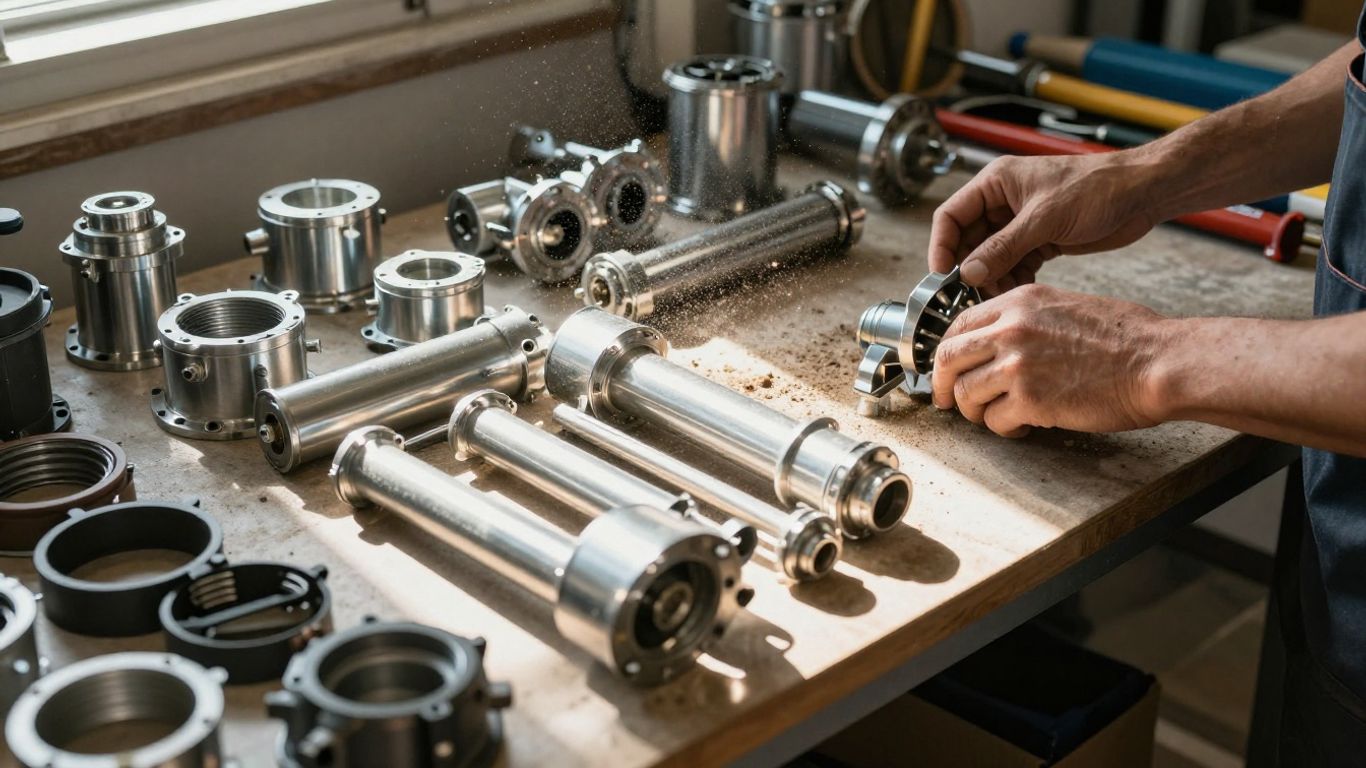
We all know that running an HVAC business means keeping a close eye on a lot of moving parts, and that definitely includes the parts and equipment we use. It’s easy to get bogged down trying to figure out what’s in stock, what’s running low, and what we’ll need for the next job. This is where good inventory management software becomes a real lifesaver for us.
Think about it: how many times have we been on a job and realized we’re missing a critical component? It’s frustrating for us, and it’s even worse for the customer who’s waiting for their AC to be fixed. Scrambling to find a part means delays, extra trips, and often, higher costs. Plus, if we’re just guessing what we have, we might end up with too much of some things and not enough of others, which is just throwing money away.
Real-Time Inventory Tracking
This is probably the biggest win. With software that tracks our inventory in real-time, we always know exactly what we have on hand. It doesn’t matter if it’s in the main warehouse, in a technician’s van, or at another job site. This kind of visibility means we can stop guessing and start knowing. We can see:
- Current stock levels for every part.
- Which parts are assigned to specific technicians or jobs.
- The value of our current inventory.
This kind of up-to-date information helps us make sure the right parts are where they need to be, when they need to be there. It’s like having a digital inventory list that’s always accurate. For businesses looking to get a handle on their stock, exploring HVAC inventory software can be a smart move.
Optimizing Parts Ordering
Once we know what we have, we can figure out what we need. Software can help us set reorder points for parts that we use often. When our stock for a particular item drops below that point, the system can alert us. Some systems can even help us generate purchase orders automatically. This means we’re not waiting until we’re completely out of something to order more. It helps us avoid those last-minute rushes and ensures we’re always prepared for common repairs and installations. We can also use this data to see which parts are used most frequently, helping us make smarter purchasing decisions.
Reducing Waste And Costs
When we manage our inventory well, we naturally reduce waste. We’re not buying parts we don’t need, and we’re not letting older parts sit around until they become obsolete. This saves us money directly on purchasing. Furthermore, by having the right parts on hand, our technicians can complete jobs on the first visit more often. This means fewer callbacks, less wasted travel time, and happier customers. It’s a win-win-win: we save money, our techs are more efficient, and our customers get their issues resolved faster.
Keeping track of parts and equipment is a constant challenge in our industry. Without a solid system, we risk delays, overspending, and frustrated customers. Software designed for inventory management can take a lot of that guesswork and stress away, allowing us to focus on providing great service instead of hunting for parts.
Here’s a quick look at how better inventory management can pay off:
| Benefit | Potential Impact |
|---|---|
| Reduced Stockouts | Fewer delayed jobs, higher customer satisfaction. |
| Lower Carrying Costs | Less money tied up in excess inventory. |
| Minimized Waste | Less obsolescence and spoilage of parts. |
| Improved Technician Time | More first-time fixes, less travel time. |
Leveraging Data For Business Growth
Look, we all got into this business to fix things and help people, not to drown in spreadsheets. But if we’re not paying attention to the numbers, we’re basically flying blind. That’s where using the data your HVAC software collects becomes super important. It’s not just about knowing how many jobs you did last week; it’s about understanding what those numbers mean for your business.
Understanding Key Performance Indicators
Think of Key Performance Indicators (KPIs) as your business’s vital signs. They tell you if you’re healthy, if you’re growing, or if something needs attention. For us HVAC folks, some of the most important ones to watch are:
- Profitability per job: Are we actually making money on each service call, or just breaking even?
- Technician Utilization Rate: How much of our techs’ paid time is actually spent on billable work? We don’t want them sitting around too much.
- Customer Acquisition Cost (CAC): How much does it cost us to get a new customer? We need to make sure we’re not spending more than we get back.
- First-Time Fix Rate: How often do our techs solve a problem on the first visit? This is a big one for customer satisfaction and efficiency.
- Callback Frequency: How often do we have to go back to a job we already did? Too many callbacks mean something’s not right.
Keeping an eye on these numbers helps us see the big picture. It’s like having a dashboard for your business, showing you what’s working and what’s not. You can find more details on these critical metrics for HVAC businesses.
Identifying Areas For Improvement
Once we know our KPIs, we can start digging. Maybe our first-time fix rate is lower than we’d like. That could mean a few things: maybe our techs need more training, or perhaps we’re not stocking the right parts. Or, if our technician utilization is low, we might need to look at our scheduling and dispatching to make sure we’re sending them to the right jobs at the right times. The software can show us patterns we might miss otherwise.
For example, we might see that certain types of jobs are consistently less profitable. Instead of just doing them because they come up, we can analyze why. Is it the time it takes? The parts needed? The complexity? This kind of insight lets us adjust our pricing, our service offerings, or even our training programs.
The data doesn’t lie. It shows us the reality of our operations, not just what we think is happening. Ignoring it is like trying to navigate a busy city without a map – you’ll eventually get lost.
Making Data-Driven Decisions
This is where all the hard work pays off. Instead of guessing what to do next, we can make choices based on solid information. If the data shows that offering maintenance plans leads to more loyal customers and higher profits, we can invest more in promoting those plans. If we see that a particular marketing campaign isn’t bringing in good leads, we can shift our budget elsewhere. Using modern tools like ServiceTitan and Real helps us gather and analyze this information effectively.
Here’s a quick look at how data can guide us:
| Area of Focus | Data Insight Example | Actionable Decision |
|---|---|---|
| Customer Retention | High rate of repeat customers from maintenance plans. | Increase marketing efforts for maintenance plans, offer incentives for sign-ups. |
| Technician Efficiency | Low first-time fix rate on AC repairs. | Implement targeted training on AC diagnostics and repair, review common part failures. |
| Service Demand | High demand for duct cleaning services in spring. | Schedule more duct cleaning appointments during that period, train additional techs. |
By consistently looking at our data and acting on what it tells us, we can stop just running our business and start growing it strategically. It’s about working smarter, not just harder.
Wrapping It Up
Look, we get it. Running an HVAC business is tough enough without adding complicated software to the mix. But honestly, the right tools can make a world of difference. We’ve talked about how features like scheduling, dispatching, and customer management can take a huge load off your shoulders. It’s not about having the fanciest system out there; it’s about finding what works for your shop. Start with the basics that solve your biggest headaches, and you’ll see how much smoother things can run. Give it a shot – you might be surprised at how much time and stress you save, leaving you more room to focus on what you do best.
Frequently Asked Questions
What exactly is HVAC business software?
Think of HVAC business software as a digital helper for our company. It’s a set of tools designed to make running our business much smoother. It can help us with things like scheduling appointments, managing customer information, sending out invoices, and keeping track of our parts. It’s basically a way to get more organized and save time.
Why do we need specialized software for our HVAC business?
While general software might work for some things, HVAC software is built specifically for our industry’s needs. It understands that we deal with service calls, maintenance plans, and specific equipment. This means it has features that are actually useful for us, like tracking job history for specific units or managing technician schedules efficiently. It helps us work smarter, not just harder.
How can this software help us manage our appointments and technicians better?
This is a big one! The software can help us schedule jobs more effectively, making sure we don’t double-book or send technicians on inefficient routes. It can also help us dispatch the right person for the job based on their skills and location. Plus, our technicians can get updates and job details right on their phones, which means less confusion and faster service for our customers.
Will this software help us with invoicing and getting paid faster?
Absolutely! Many HVAC software options can automate the invoicing process. We can create professional invoices quickly, send them to customers digitally, and even set up reminders for payments. Some systems even allow customers to pay online. This means less time spent chasing payments and a steadier cash flow for our business.
Can this software help us keep track of our parts and inventory?
Yes, it can! Good HVAC software lets us track what parts we have in stock in real-time. This helps us make sure our technicians always have what they need on their trucks, reducing the need for return trips. It also helps us order parts more efficiently, so we don’t end up with too much or too little stock, saving us money and hassle.
How does this software help us improve our customer service?
By having all customer information in one place – like their contact details, service history, and any notes about their home or equipment – we can provide more personalized service. We can send timely reminders for maintenance, respond to inquiries faster, and ensure every customer feels valued. Happy customers are more likely to return and recommend us to others!